Thesis results: norms, normality and correlation step by step
Once data collection is over you have a sheet with one row per person and one column per item. The results chapter asks for something else: levels per variable, a normality test, the relationship between variables and APA-style tables. These are the steps, in the order they usually appear in a correlational thesis.
1. Scores and levels (norms)
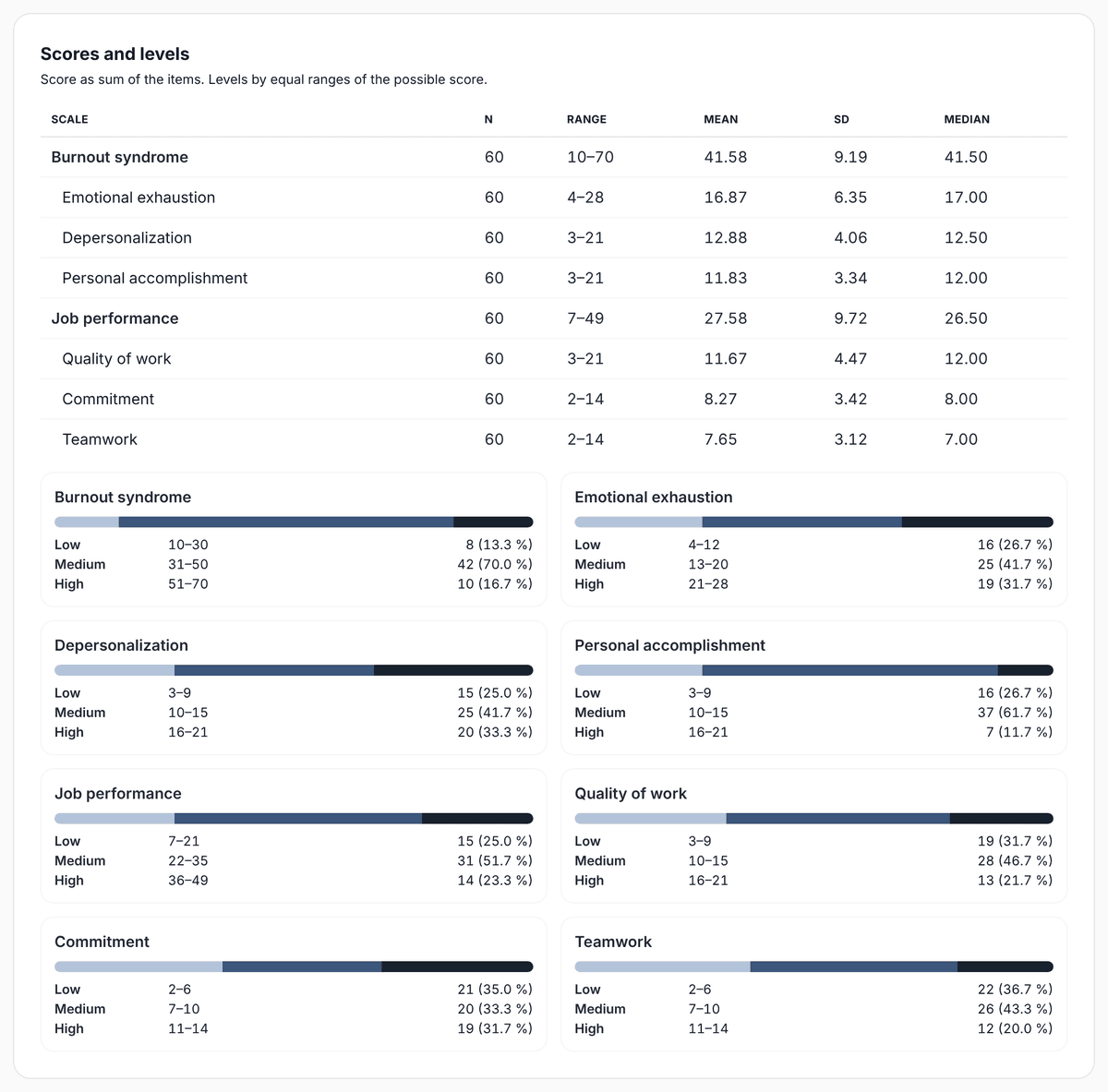
Each person's score on a variable or dimension is the sum of its items, after recoding the reverse-worded ones. To describe it you use norms: the possible range is split into levels, such as low, medium and high, and you count how many people fall into each.
The most common approach in theses is to split the possible range into equal parts. A 3-item dimension on a 1 to 7 scale goes from 3 to 21; with three levels, low is 3 to 9, medium 10 to 15 and high 16 to 21. Another option is your own sample's percentiles. Use whichever your university or the instrument's manual asks for, and say so in the method.
2. Normality test
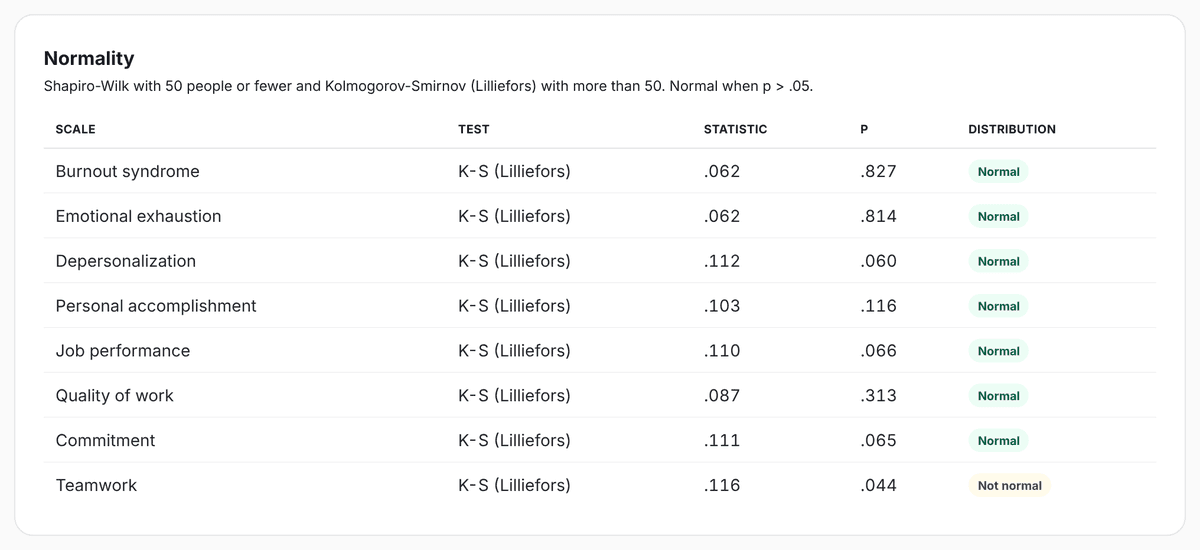
Before correlating you need to know whether scores follow a normal distribution, because that decides which test to use. Theses usually use Shapiro-Wilk with 50 people or fewer, and Kolmogorov-Smirnov with the Lilliefors correction above 50. If p is below .05, the distribution is not normal.
3. Correlation: Pearson or Spearman
If both variables are normal, use Pearson's r. If at least one is not, use Spearman's rho. The sign gives the direction: negative means that when one goes up, the other goes down. The absolute value gives the strength; SurvIQ labels it very weak (below 0.20), weak (0.20 to 0.39), moderate (0.40 to 0.59), strong (0.60 to 0.79) or very strong (0.80 or more).
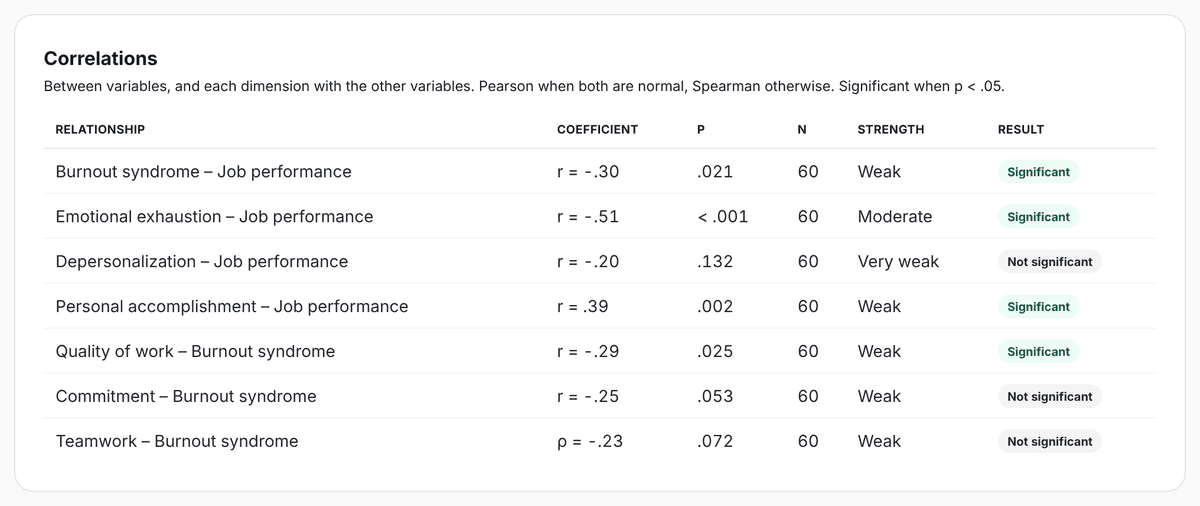
A significant correlation does not prove that one variable causes the other. It only says they move together in your sample. Keep that in mind when you write the discussion.
4. How to report it in APA style
- Coefficients and p values have no leading zero, because they cannot exceed 1: r = −.51, p < .001.
- Report exact p values (p = .021), except when they are below .001.
- State the test used and the sample size in the text or in the table note.
- Tables have a number and title above and the note below.
All of this in Thesis Mode
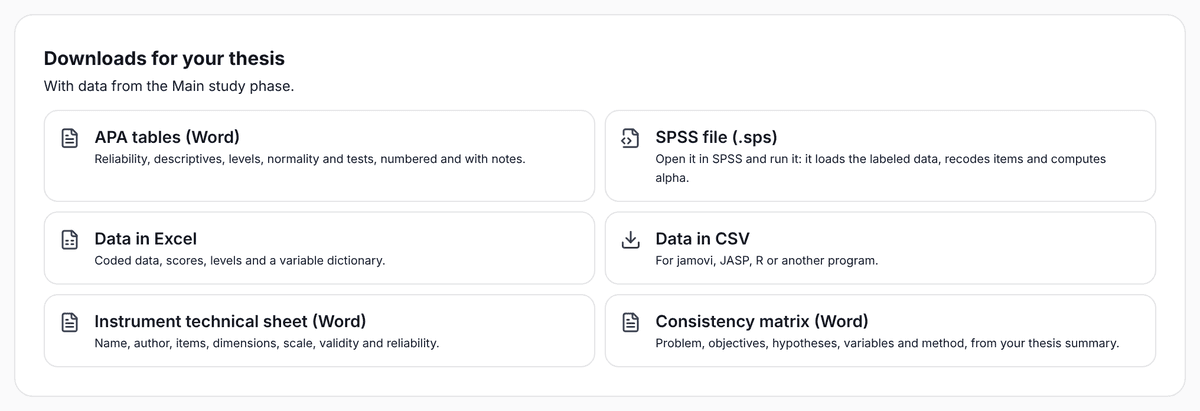
In SurvIQ results are calculated from the data collection phase, separate from the pilot. You get scores, levels and normality from the Basic plan, and correlations and group comparison with chi-square on the Pro plan. For your chapter you can download APA-style tables in Word, the data in Excel or CSV, SPSS syntax, the instrument technical sheet and the consistency matrix.
If you want a starting point for your analysis, "Findings for your thesis" matches the results with the objectives and hypotheses in your summary and shows them as bullets. Numbers come from SurvIQ’s calculations: if the AI writes a number that does not come from them, that bullet is dropped. It does not cite authors either.
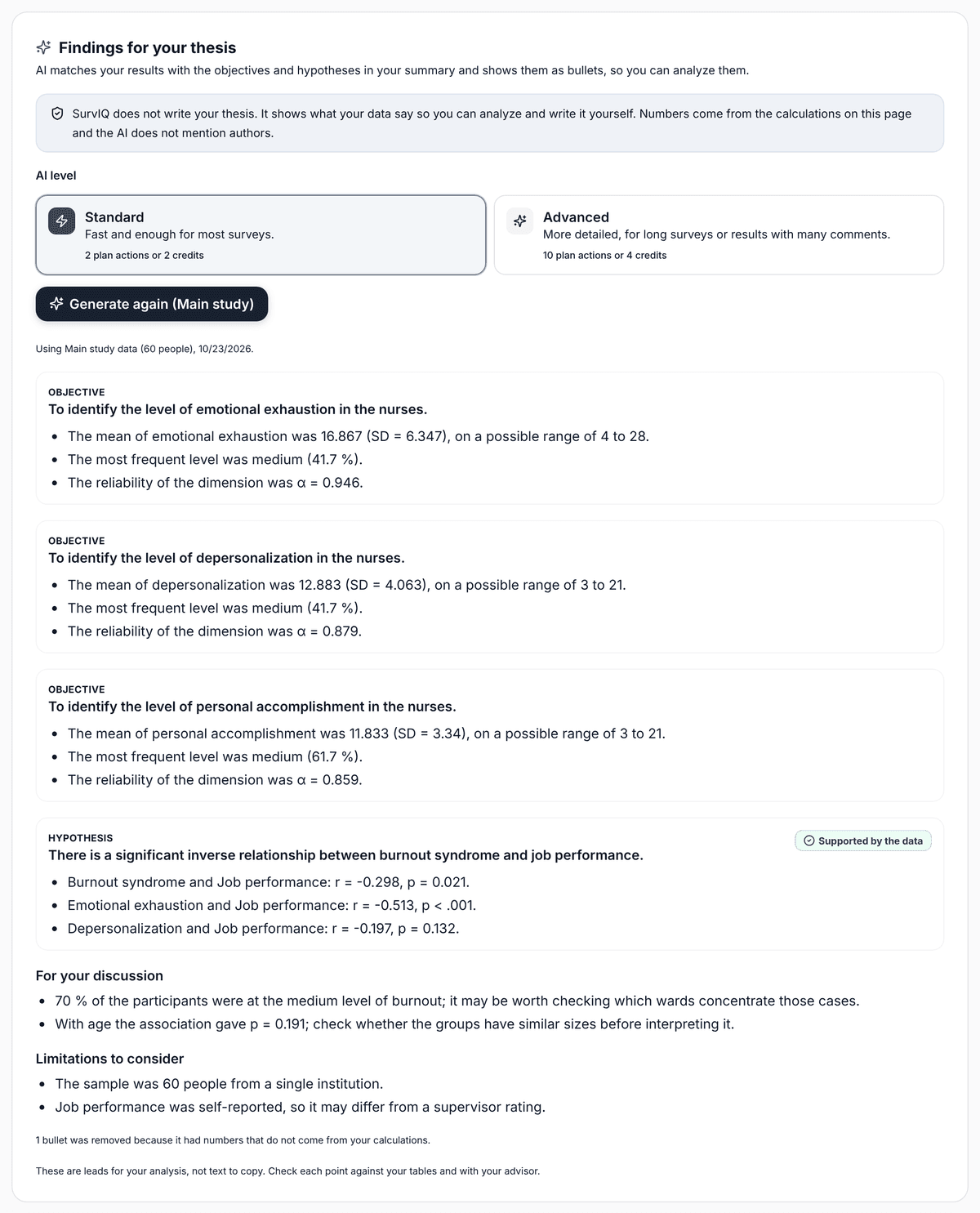
SurvIQ does not write your results chapter or your discussion. It gives you the tables and shows what your data say; the interpretation and the writing are yours. Check every number with your advisor before you submit.