360 feedback: what it is and how to run it step by step
360 feedback gathers several views of the same person: their own, their manager's, their peers' and, if they lead a team, the people who report to them. The point is that nobody is judged by a single opinion, and that each person can compare how they see themselves with how others see them.
It is used mostly for development: learning what each person is strong at and what they should work on. Many companies prefer not to tie it directly to pay or bonuses, because when money is at stake people tend to rate more carefully and less honestly.
Who reviews each person
- Self-review: the person rates themselves on the same competencies.
- Manager: whoever supervises them directly.
- Peers: people with the same manager who work with them every day.
- Team: if they manage people, those who report to them.
- Additional: someone from another area they work with often, when it adds something.
Each person usually gets 4 to 8 reviews. Fewer makes anonymity hard to protect; more wears out the people who have to review a lot of colleagues.
Step 1: the list of people and their managers
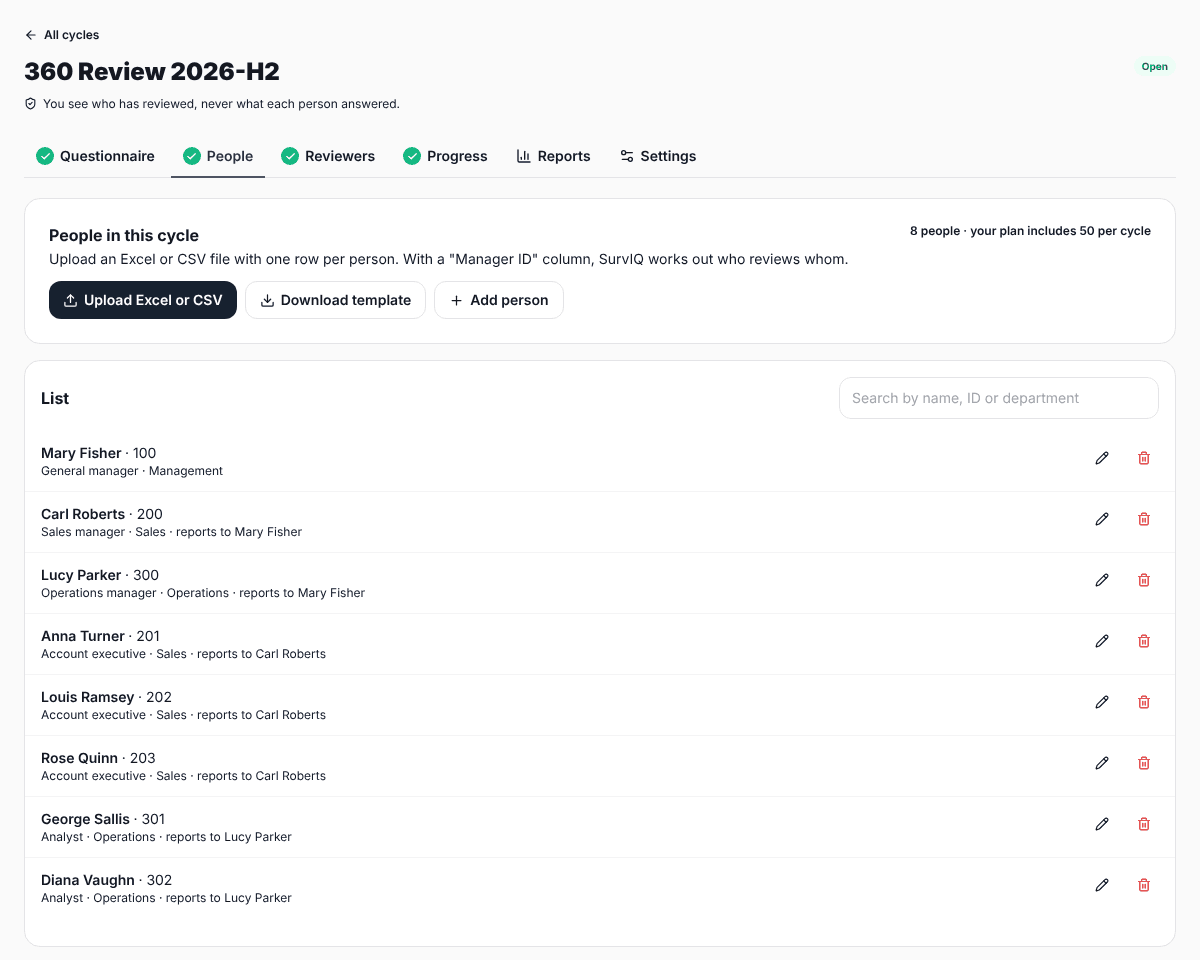
Everything starts with a list: employee ID, name, area, job title and their manager's ID. That last column is what tells you who reports to whom and lets the rest be built automatically. In SurvIQ you upload it from a spreadsheet or CSV using the template on the same screen.
Step 2: who reviews whom
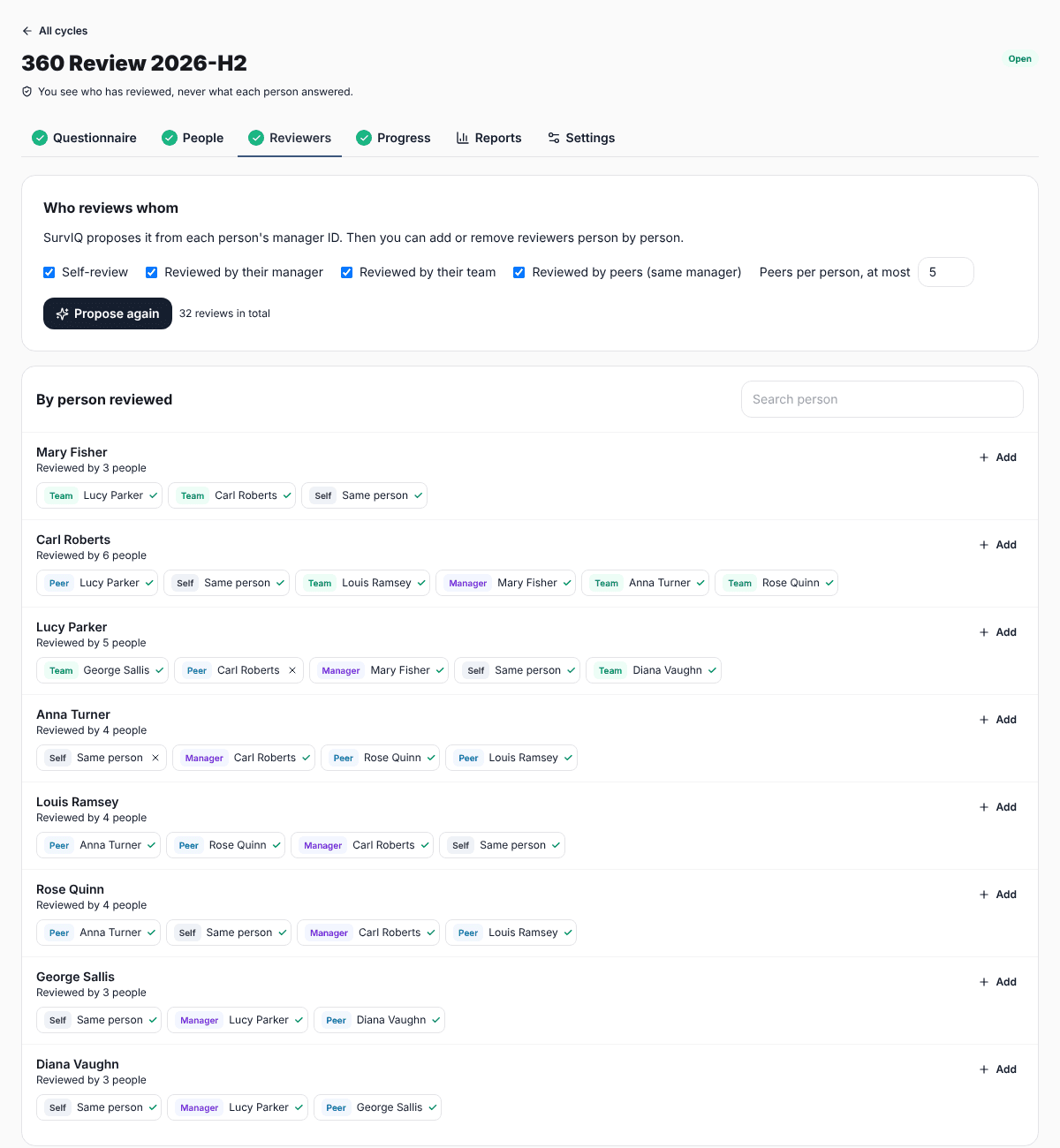
From the list, the system proposes the reviews: self-review, manager, team and peers who share a manager. You decide which groups to include and the maximum number of peers per person. Then you go person by person: remove someone who barely works with them or add someone from another area.
Step 3: the questionnaire
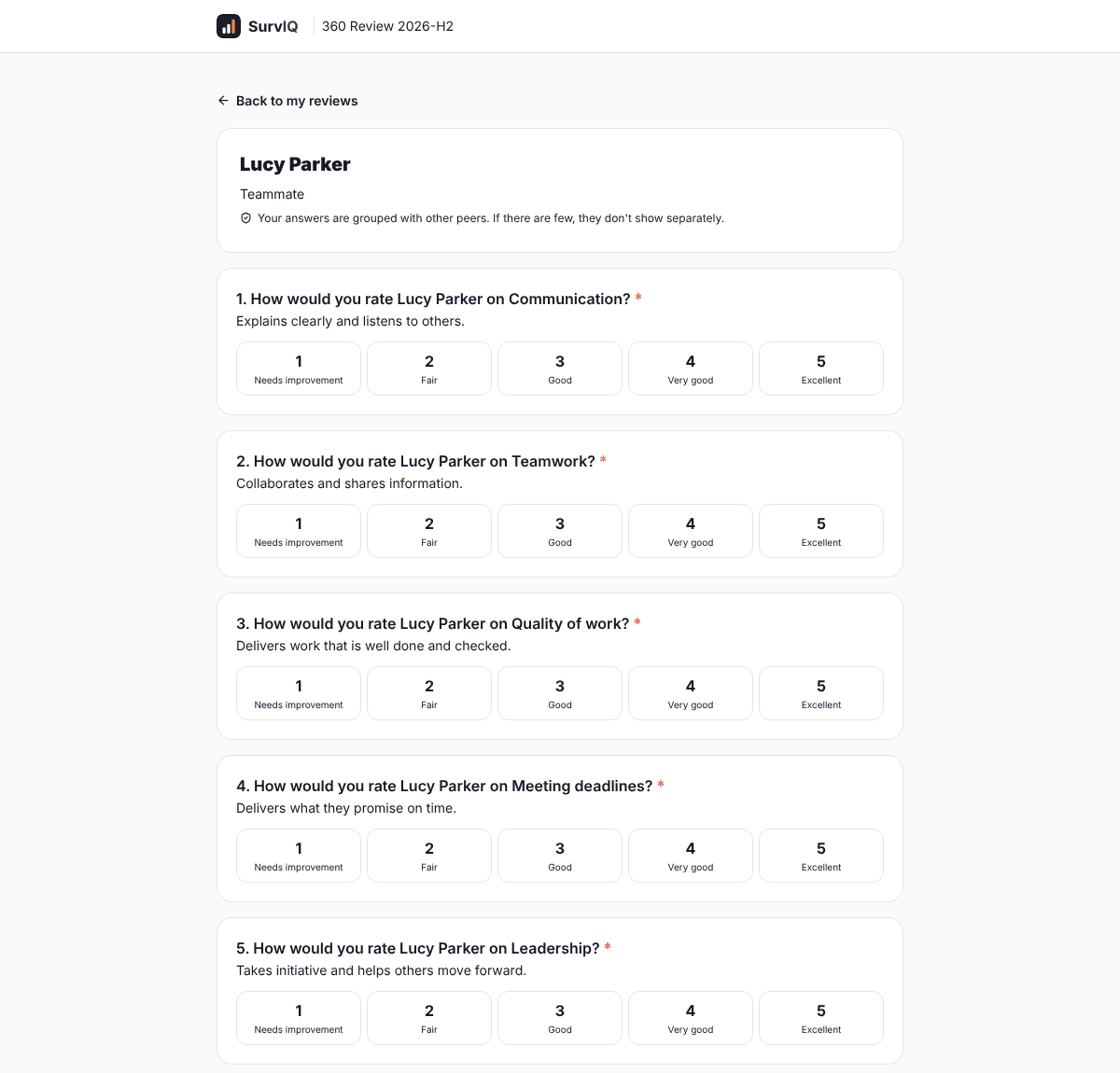
A good 360 questionnaire has 5 to 10 competencies rated 1 to 5 and 2 or 3 open questions. Each competency is described with an observable behavior so everyone rates the same thing. There are examples in the guide to 360 feedback questions.
Step 4: launch and share access
When you launch, each person gets a PIN. You share one link by email or chat, and everyone signs in with their employee ID and PIN. They see the reviews assigned to them, and can leave one half done and come back with the same link.
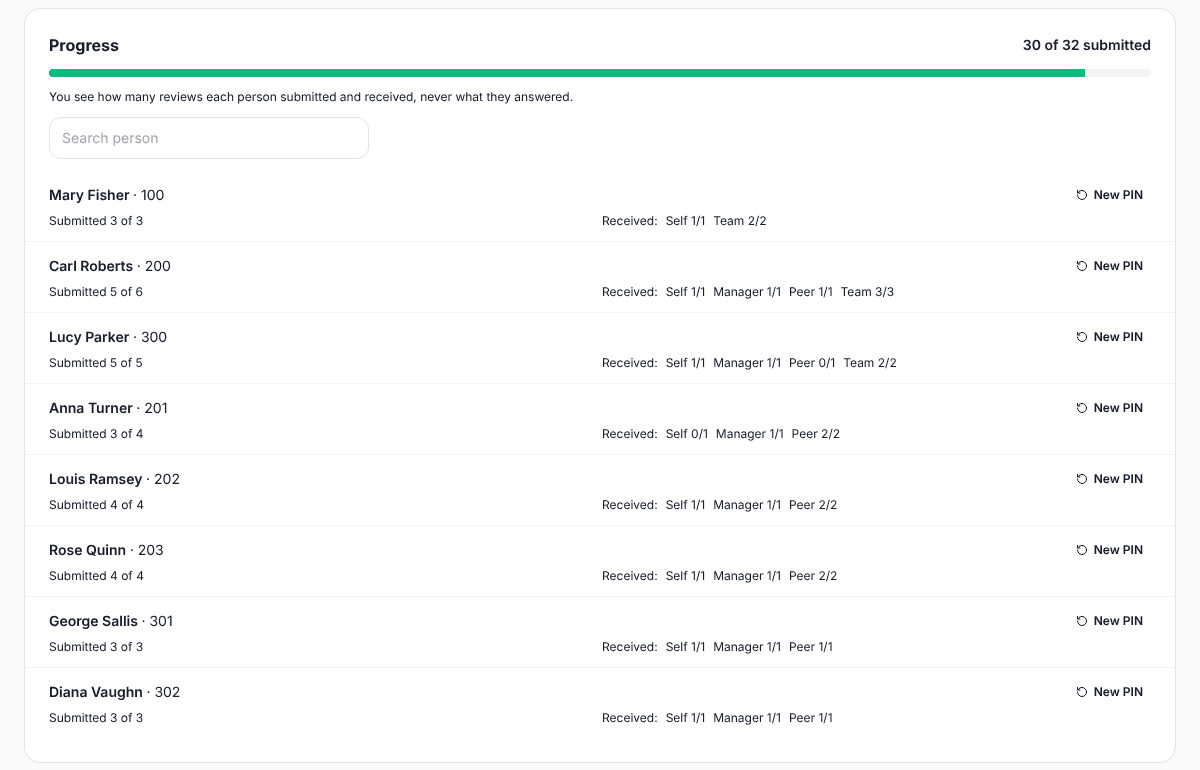
While the cycle is open, HR sees how many reviews each person has sent and received, so they can remind whoever is missing. What HR never sees is what each person answered.
Step 5: each person's report
The report compares the average of others with the self-review for each competency. The most useful part is usually the gaps: competencies where the person rates themselves well above others (a blind spot) or well below (a strength they do not see).
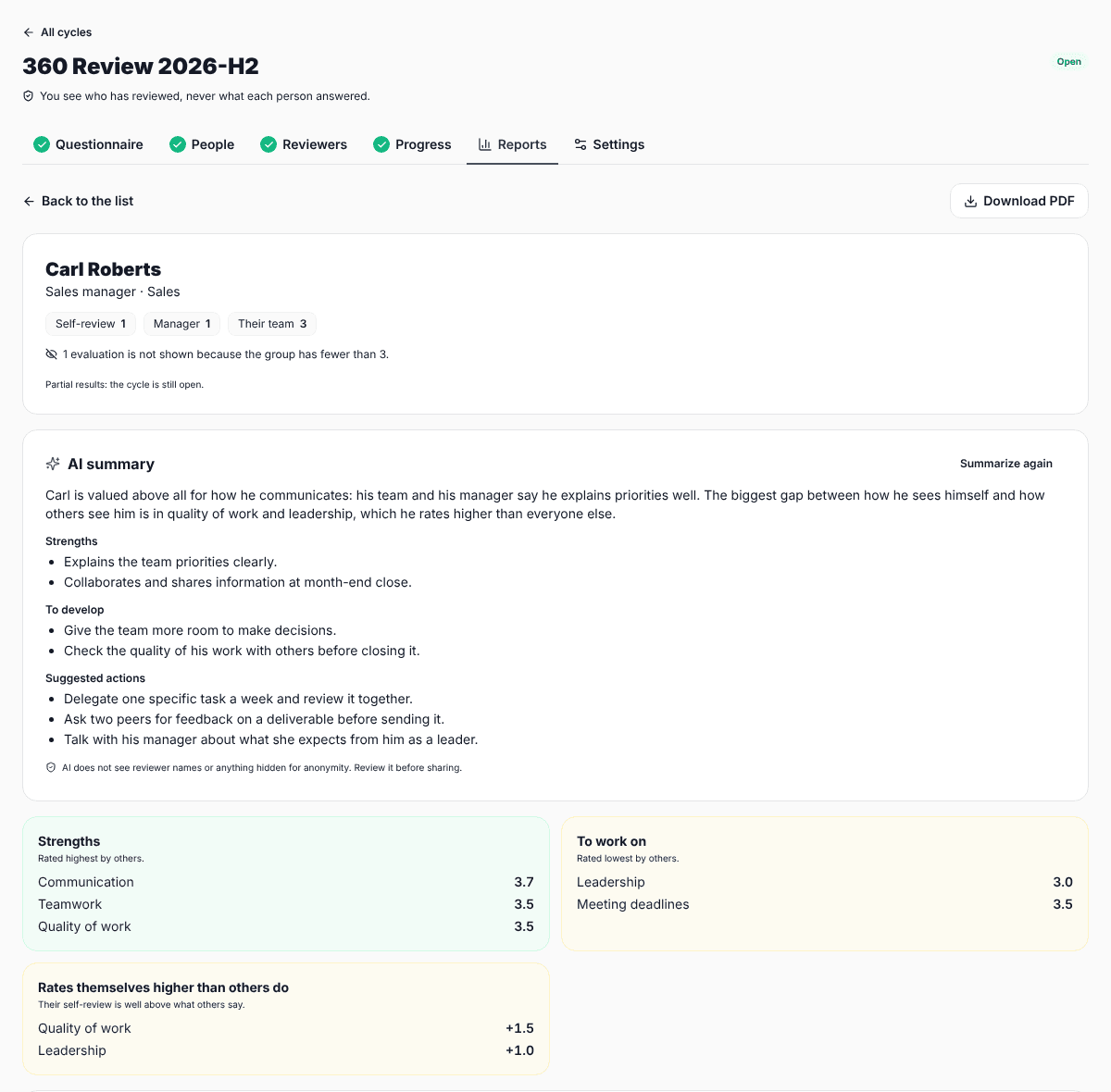
A report is meant to be discussed, not just emailed. Ideally the manager or someone from HR goes through it with the person, they pick one or two things to work on and agree on concrete actions. If the cycle repeats every year, the next review shows whether those actions worked.
Common mistakes
- Too many competencies: with 20 questions per person, someone reviewing six peers ends up answering on autopilot.
- Very small groups: if a person has only one peer, that peer is not anonymous. Pool groups or do not show that data.
- Not explaining the purpose: if people think it sets their pay, they will rate everyone 5.
- Handing over the report without a conversation: a number without context creates more anxiety than learning.