How to make 360 feedback truly anonymous
In 360 feedback people rate their manager, their peers and their team. If they believe what they say will get out, they will give everyone a 4 and write polite comments that help nobody. Anonymity is not a technical detail: it is what makes the review useful.
And removing names is not enough. If a person has two direct reports and one is on vacation, the "team" average is one person's rating, and everyone knows whose.
Rule 1: a minimum number of reviews per group
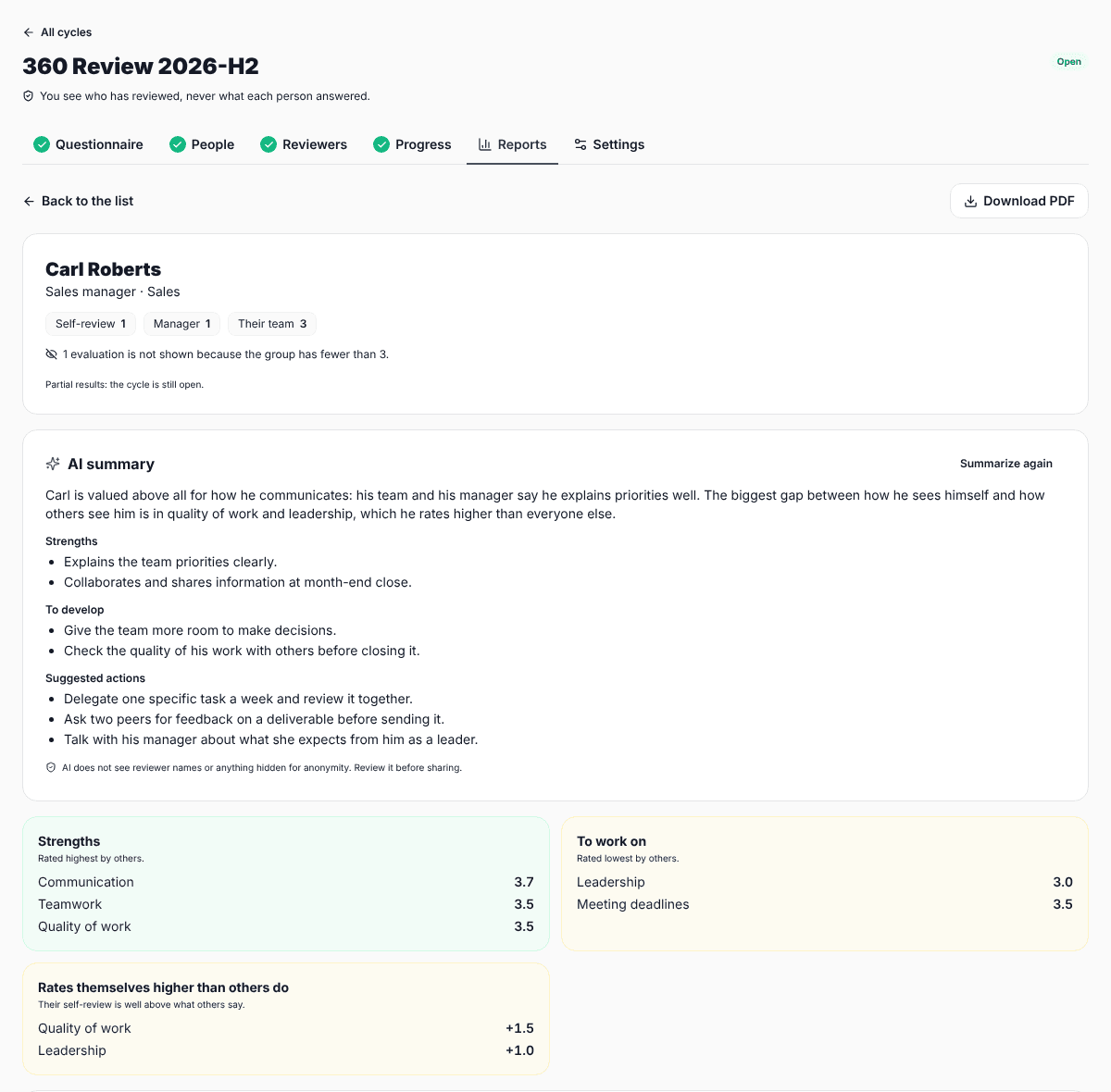
Peer and team results are shown only when that group has at least 3 reviews. Some companies raise the minimum to 4 or 5 in very small areas. In SurvIQ the minimum is 3 and you can raise it in the cycle settings.
Rule 2: the manager and self-review are separate
The person wrote their self-review and their manager wrote the manager review: there is nothing to hide there. So they are shown separately and do not count toward the minimum.
Rule 3: pool small groups or leave them out
If a person has 2 peers and 2 direct reports, neither group reaches 3. Together they do: they are shown as one group of 4 called "Mixed". If even pooled they fall short, those reviews are not used in any number.
That last part matters: if hidden ratings were part of the overall average, someone could subtract the visible groups and work out the hidden ones. So they are left out of everything, and the report says how many reviews are not shown and why.
Rule 4: be careful with comments
A comment can give away its author more than a rating: by topic, by writing style, by the order it appears in. Comments follow the same group rules and are sorted alphabetically, so the order does not reveal who answered first. Even so, ask people not to mention situations only they know about.
Rule 5: HR sees progress, not answers
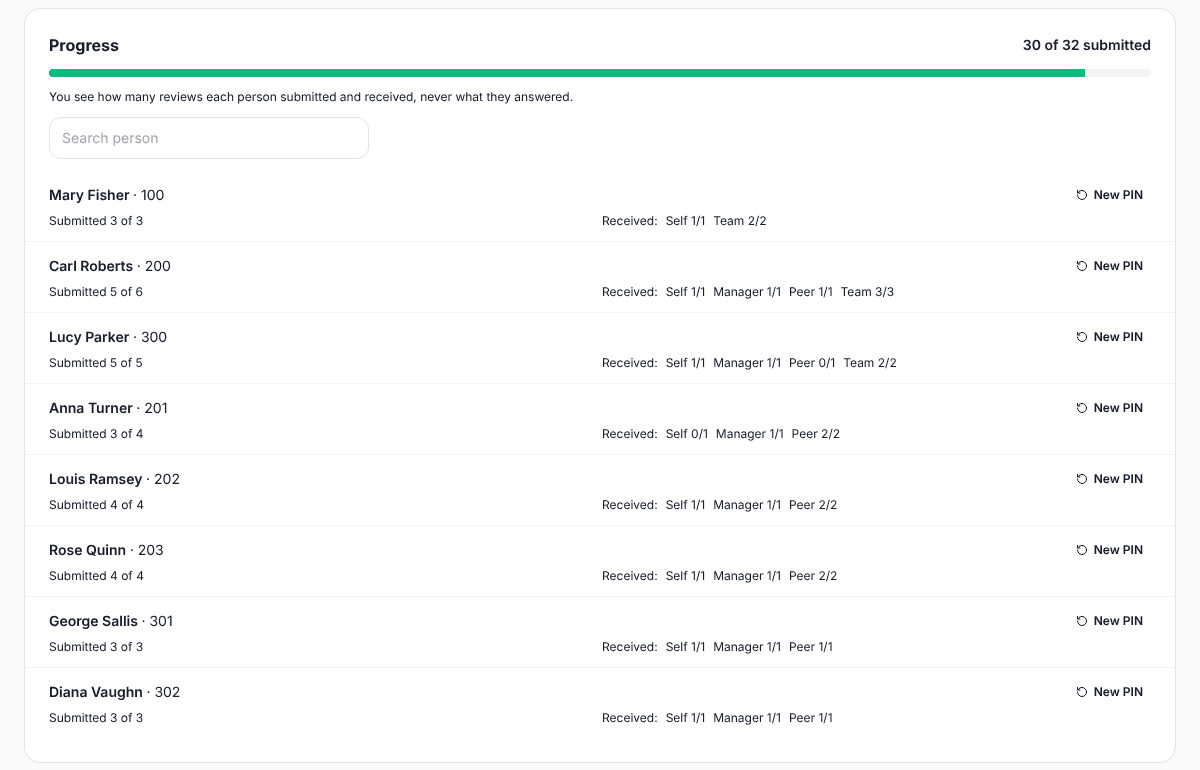
Whoever runs the cycle needs to know who is missing so they can send a reminder. They do not need to see what each person answered. In SurvIQ only the server reads individual answers, to compute the averages: no individual answer appears on screen or in the PDF.
Rule 6: access that does not ask for extra data
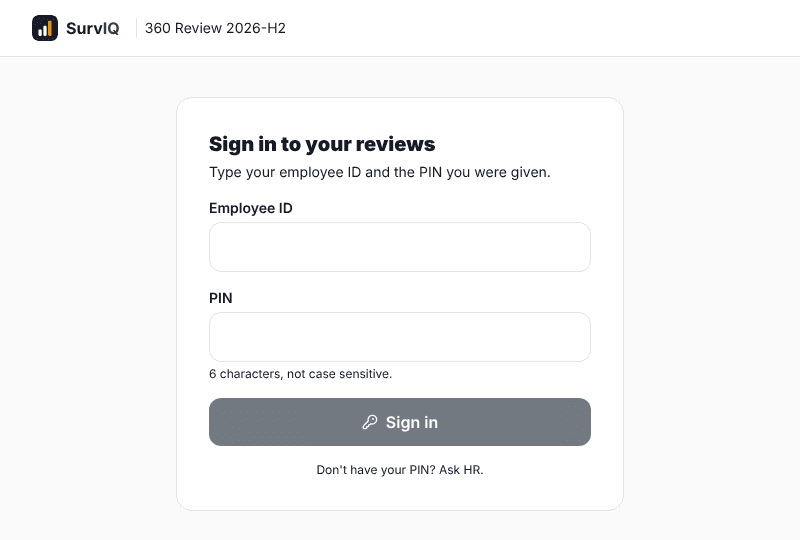
To know which reviews belong to each person you have to identify them, but they do not need an account. An employee ID and a PIN handed out by HR are enough, and nobody can answer on someone else's behalf.
The company view counts too
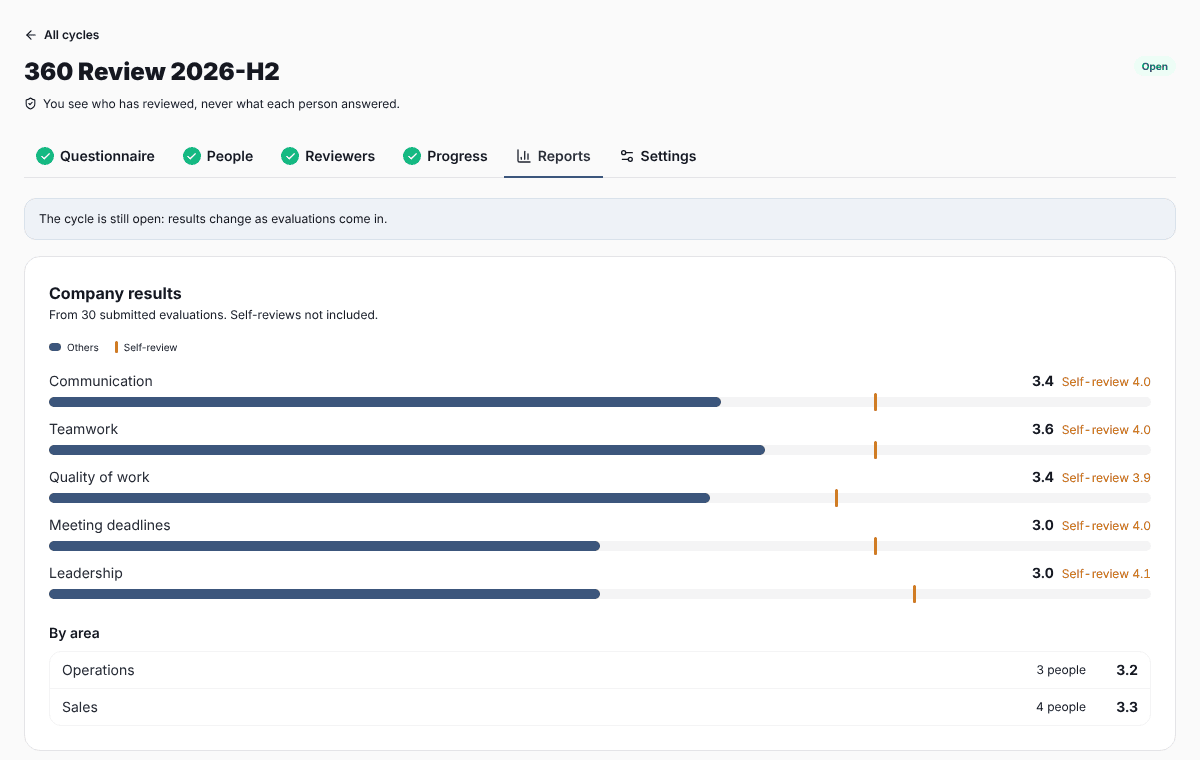
An average by area can break anonymity if the area has only one reviewed person. So the company view only uses what each person's report already shows, and an area appears only when it reaches the minimum number of reviews.