How to analyze open-ended survey responses with AI
The question "What could we improve?" is often the most useful one in a survey and the least analyzed. You can read 20 answers in a few minutes; with 300, most teams read the first few and draw conclusions from those. SurvIQ's AI does two different jobs with those comments: it categorizes them and it summarizes them.
Categorize: how many people say what
In Results, open "AI for your results" and go to the "Categorize" tab. Pick the open question and tap "Group answers". The AI proposes 3 to 8 categories that do not overlap, assigns each comment to one and works out the percentage for each category.
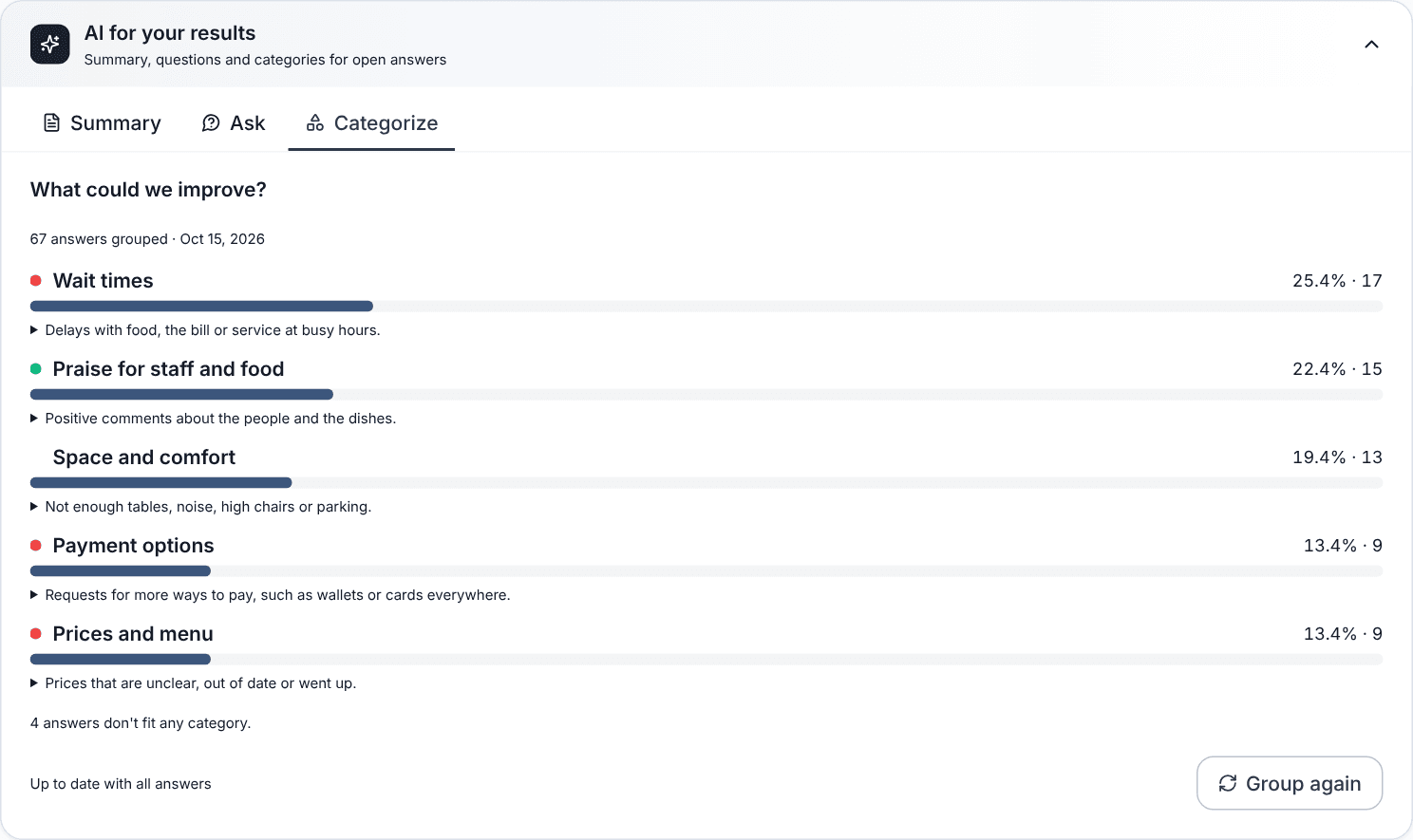
- Each category has a description and real comment examples so you can check the grouping makes sense.
- The color tells you whether the category is a complaint, praise or neutral.
- Comments that say nothing ("Nothing", "No") are kept apart and do not inflate any category.
- The result is saved. When new responses arrive, SurvIQ tells you how many and you can group again.
Summarize: what it all means
The "Summary" tab looks at the whole survey, closed and open questions alike. It returns a paragraph with the main takeaway, the sentiment of the comments, the most repeated themes with verbatim quotes, the highlights and up to three concrete recommendations.
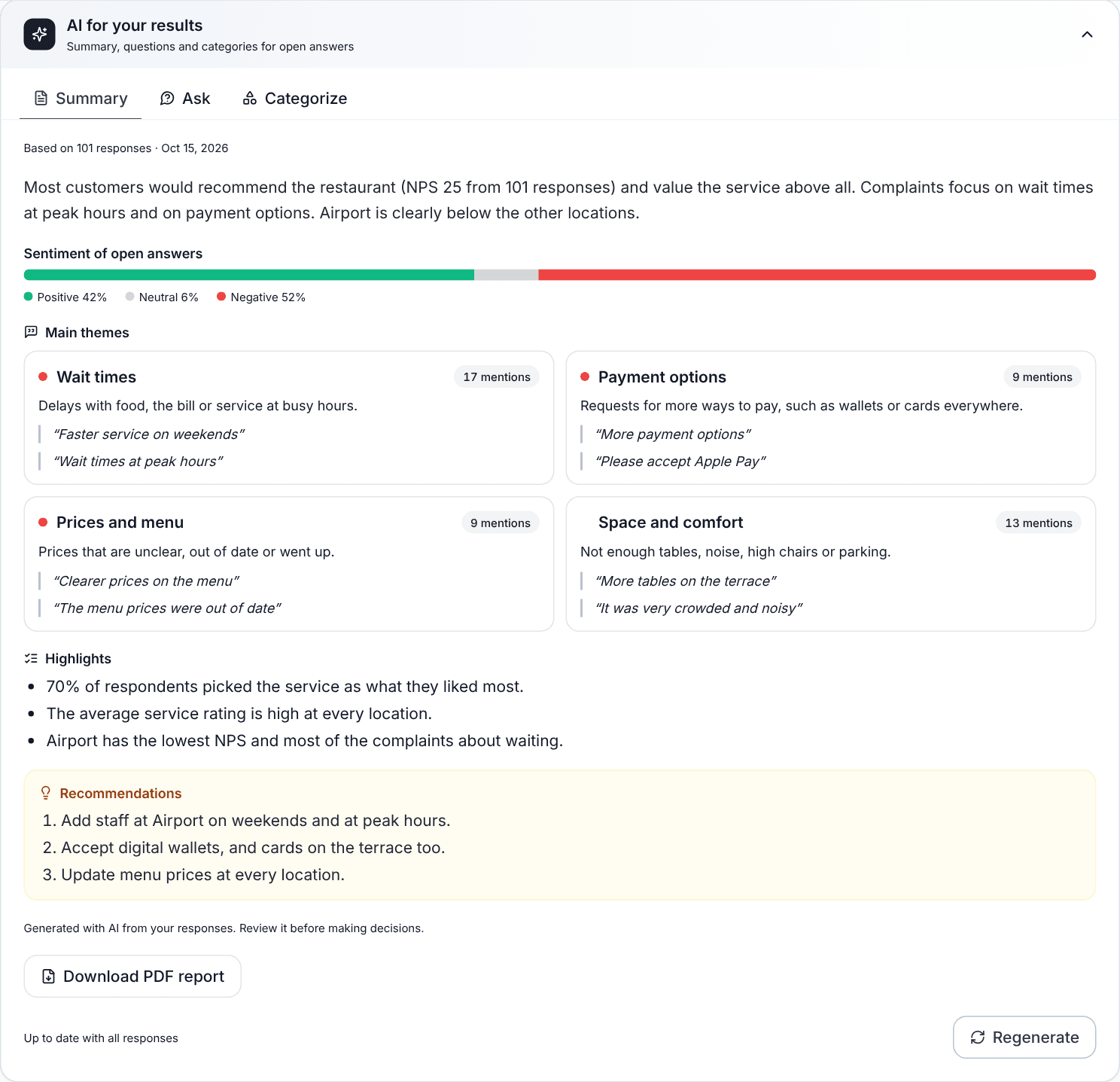
Quotes come word for word from the answers: SurvIQ drops any sentence that does not appear in your data. From the same panel you can download a PDF report with the summary, the categories and the charts at no extra cost.
When to use each one
- Categorize when you need a number to decide: "25% complain about waiting".
- Summarize when you need to tell someone what the survey found in one minute.
- Both together for a report: the summary gives context and the categories give the numbers.
Large surveys
The AI reads every response, not a sample. If the survey has a lot of them (more than 500 comments when categorizing, for example), the action is charged in blocks and SurvIQ shows you how many it will read and what it costs before charging. It is still worth reading some comments in full: the AI tells you where to look, and reading them gives you the nuance.