360 feedback
360 feedback from start to finish, in one place
You upload your people in a spreadsheet, SurvIQ sets up who reviews whom and each person signs in with their employee ID. When it closes, everyone gets their report and you see how the company is doing by area.
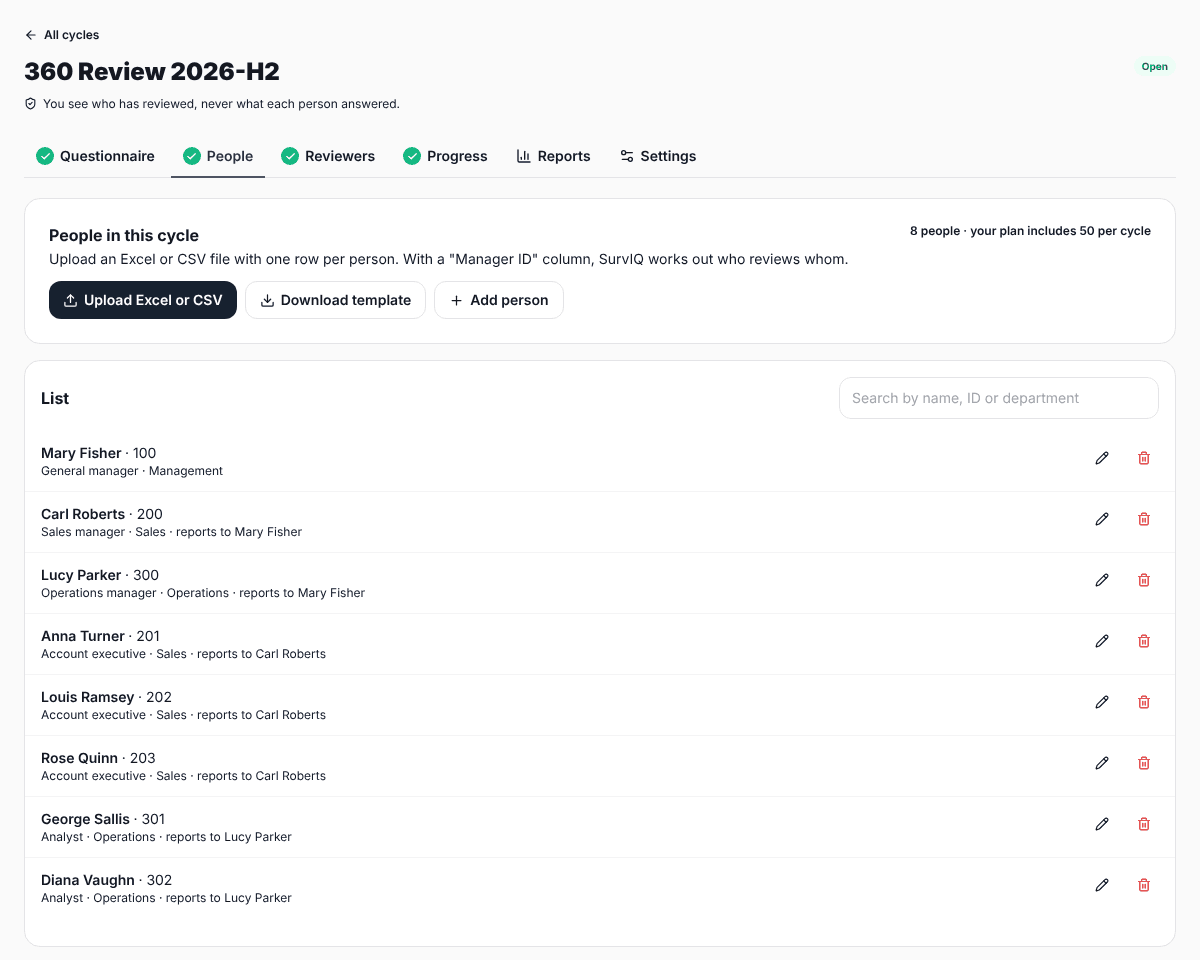
1. Upload your people with their manager's ID
A spreadsheet or CSV with one row per person: ID, name, area, job title and their manager's ID. That tells SurvIQ who reports to whom.
- Download the template, fill it in and upload it.
- If someone changes area, edit them in the list.
2. Check who reviews whom
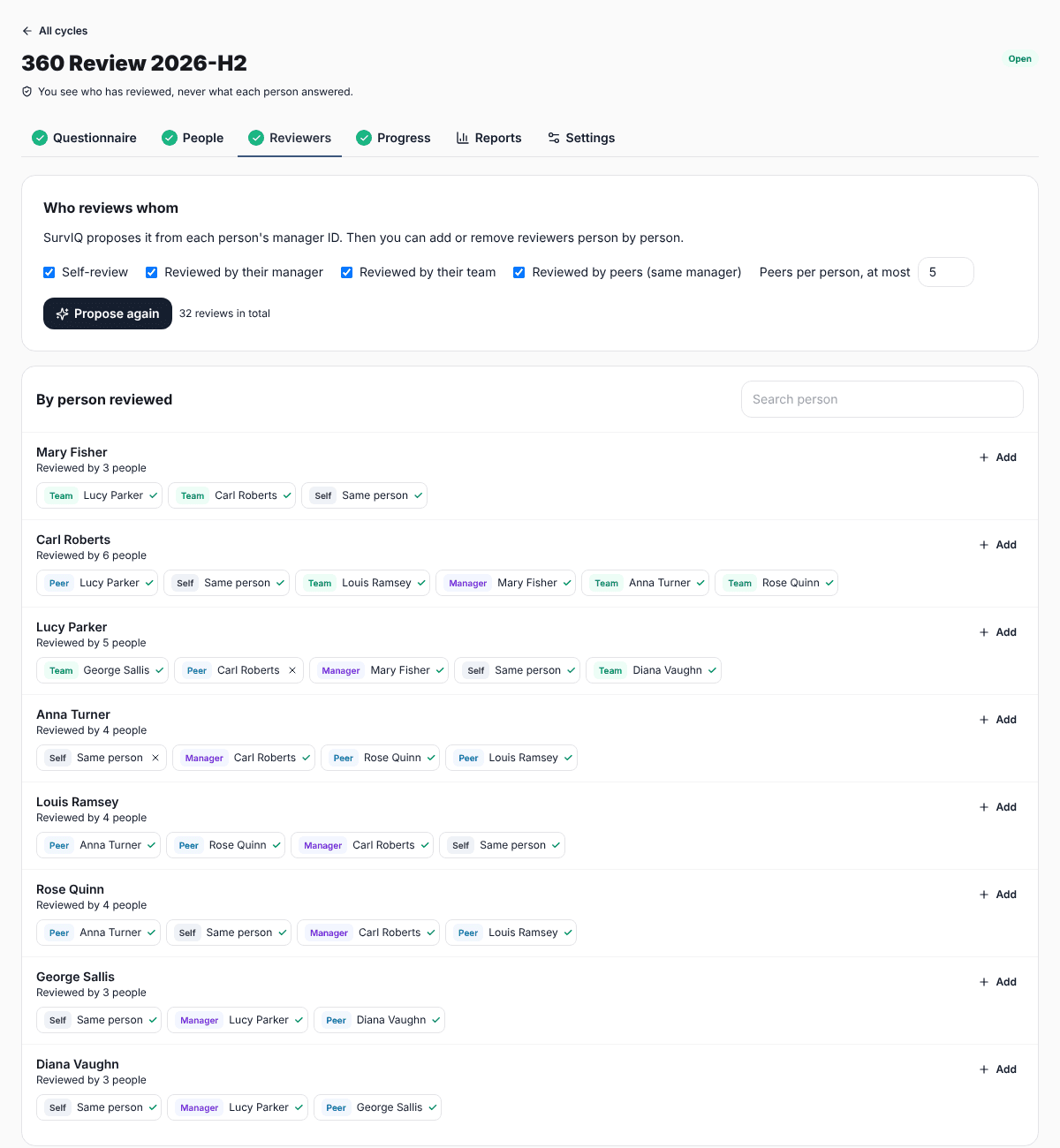
SurvIQ proposes the self-review, the manager review, the team and peers who share a manager. You pick which groups to include and the maximum number of peers, then add or remove reviewers person by person.
- Anyone can get reviewers from other areas as an "additional review".
- You see the total number of reviews before launching.
3. Everyone signs in with their ID and PIN
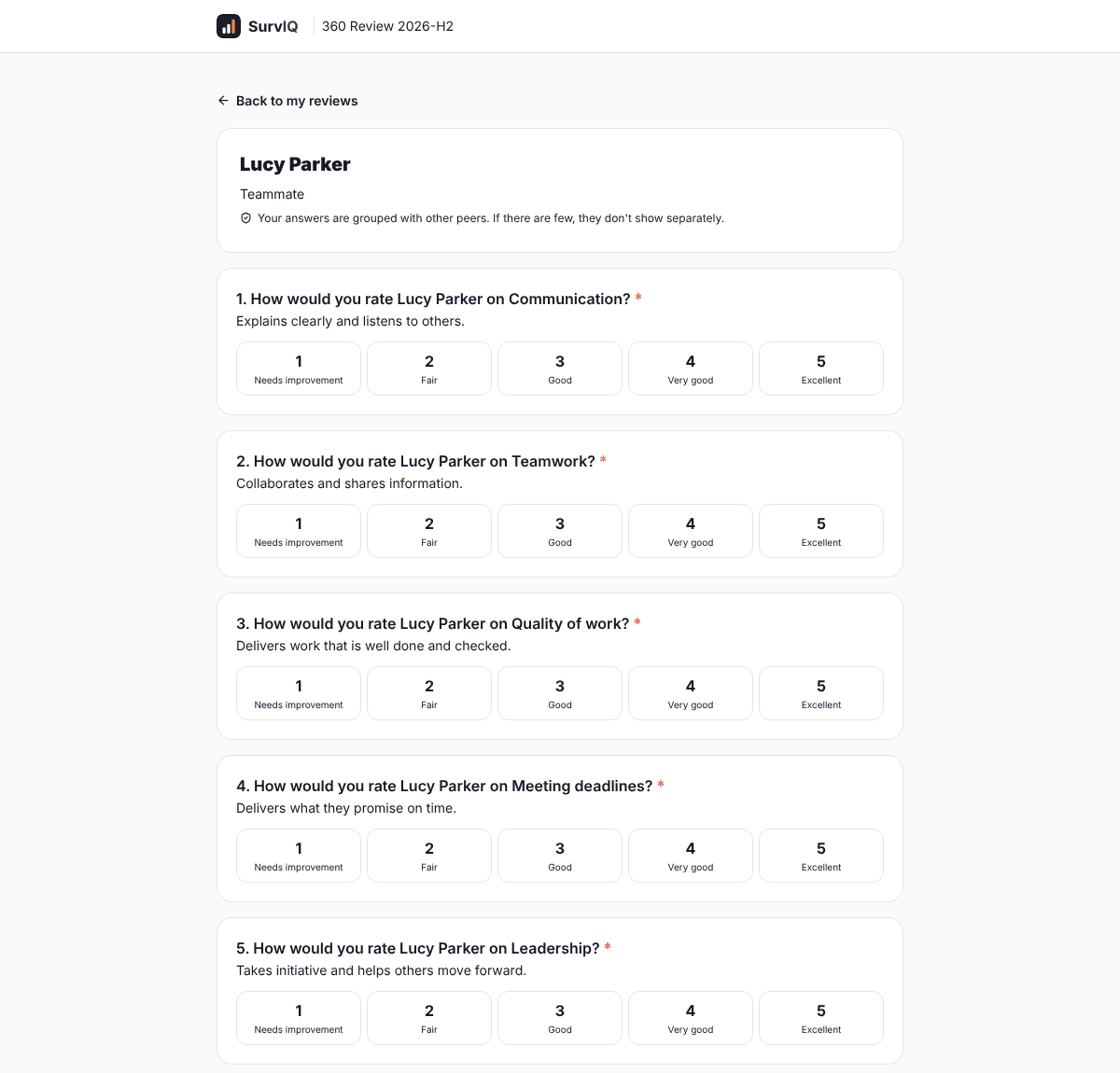
You share one link by email or chat. Each person types their employee ID and the PIN you gave them, and sees the reviews assigned to them. You can also download a spreadsheet with each person's own link and PIN.
- No accounts needed.
- They can leave a review half done and come back with the same link.
4. Track progress without seeing answers
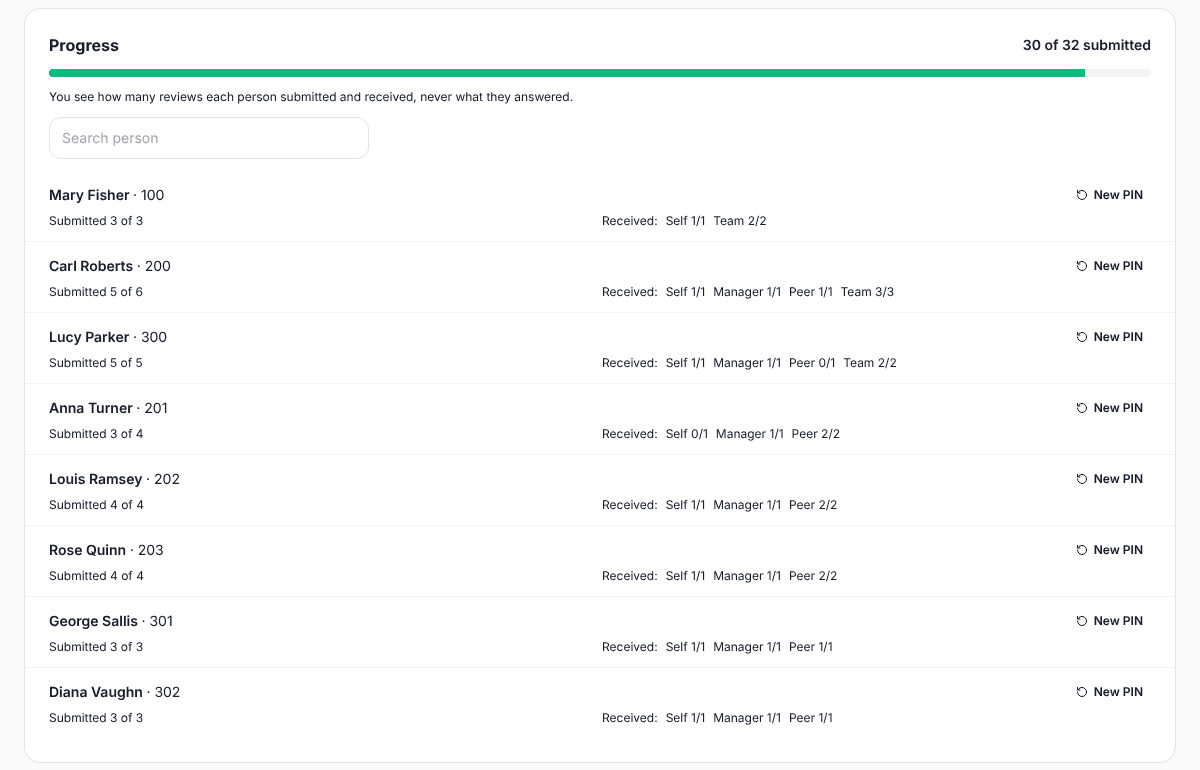
You see how many reviews each person has sent and received. You never see what each person answered. If someone loses their PIN, you generate a new one.
- The progress bar shows how many are left.
- You can close the cycle and reopen it.
5. A report per person and one for the company
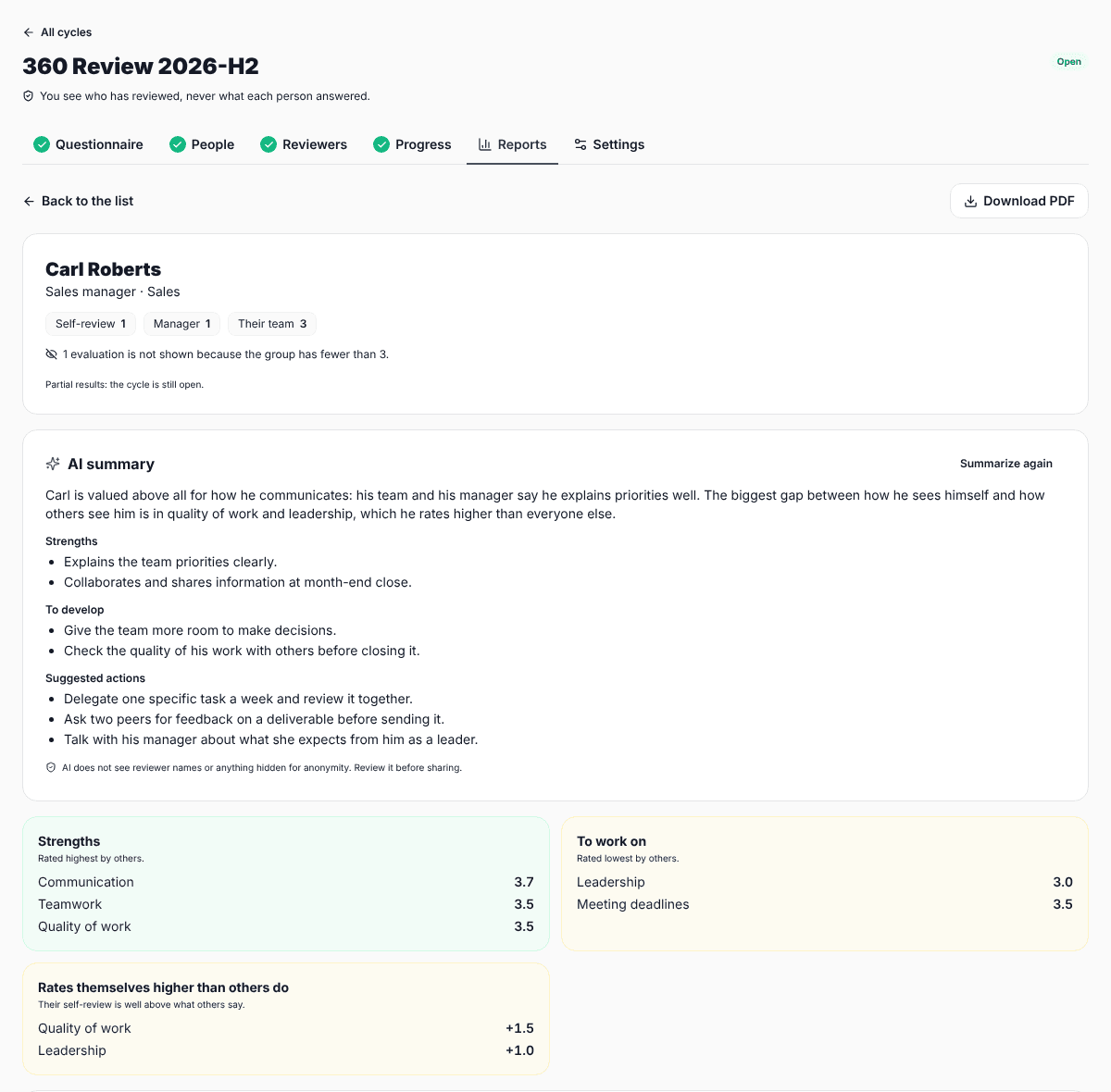
Each report shows the average of others per competency, the self-review next to it, strengths, what to work on and the biggest gaps between how the person sees themselves and how others see them. Comments are grouped and sorted alphabetically.
- One PDF per person in a ZIP, so you can send each person theirs.
- An AI summary of each report that you review before sharing.
- A company view by competency and by area.
How anonymity is protected
Individual answers never leave the server. What reaches the screen and the PDF is already grouped:
- The self-review and the manager review are shown separately, since everyone knows who wrote them.
- Peers, team and additional reviews are shown only when there are at least 3. You can raise that minimum in the cycle settings.
- If a group falls short, it is pooled with other small groups under "Mixed".
- If the pooled group still falls short, those reviews are left out of every number, including the average, so nobody can work them out by subtracting.
- The area view only uses what each person's report shows.
What each plan includes
Included cycles
- Pro
- 1 per calendar year
- Business
- 1 per calendar year
People per cycle
- Pro
- Up to 50
- Business
- Unlimited
Extra cycle
- Pro
- 100 credits + 1 per review
- Business
- 100 credits + 1 per review
Plan responses
- Pro
- Not used
- Business
- Not used
On Pro, if a cycle has more than 50 people, the reviews for the extra people cost 1 credit each. SurvIQ shows the cost before launching and asks you to confirm. The AI questionnaire and the summary of each report use your monthly AI actions.
Guides
FAQ
- Do people need a SurvIQ account?
- No. They use the cycle link, their employee ID and the PIN HR gives them. With each person's own link, they only confirm it is them.
- Can HR see what each person answered?
- No. HR sees who has reviewed and who is missing, and the reports by group. Only the server reads individual answers, to compute those averages.
- Can I use my own competencies?
- Yes. Write your competencies and open questions, bring them from a SurvIQ survey or template, or describe the company and roles to the AI so it proposes a questionnaire you then review.
- How do people get their links?
- You share them by email, chat or whatever channel your company uses. The links and PINs spreadsheet has each person's details so you can send them separately.
- What if someone has few peers?
- If there are fewer than 3, their answers are pooled with other small groups or hidden. The report says how many reviews were left out and why.
- Do reviews count as plan responses?
- No. 360 reviews do not use your monthly response quota.
Try your first cycle
Create your account, upgrade to Pro and set up the cycle with your team.
Create a free account