Online exams
Exams and quizzes that grade themselves
Mark the correct answers, share the link and SurvIQ scores every person. At the end you see which questions worked and which ones to change.
1. Mark the correct answer and what it’s worth
On any single choice, multiple choice or dropdown question, turn on "Exam mode", mark the correct option and give it points. You can mix graded questions and opinion questions in the same survey.
- On multiple choice you can mark several correct options: the question counts only if the person selects exactly those.
- Each question can be worth something different, or all the same with one click.
2. Set the pass mark
In the exam settings you set the minimum percentage to pass and choose whether people see their result when they finish.
- While answering, they don’t see which options are correct.
- After submitting they can see whether they passed and their score, for example 8/10 (80%).
Thanks for responding!
Your response has been recorded successfully.
3. Everyone’s score, with no grading by hand
Each response stores its score. You see it in Individual responses and it comes out in the Excel or CSV download along with the max score and the percentage.
- In each question’s results you see what percentage got it right.
- Ask for the student’s name, email or ID with regular questions so you know whose score is whose.
4. Check whether the test is well built
Test analysis calculates the exam’s KR-20 and, for each question, how many got it right, whether it separates people who know more from people who know less, and how much the exam would improve without it.
- Questions with low discrimination show in red.
- An arrow marks the questions that lower reliability.
- Available from the Basic plan.
Test analysis
8 questions · 40 responses · 4.3 correct on average
0.87
KR-20 · good
KR-20 measures how consistent the test is: 0.7 or higher is usually considered acceptable. Each question counts as right or wrong (you must select exactly the correct options) and a skipped question counts as wrong. All complete responses are used, without filters.
1.What is the past tense of "go"?
Correct
68%
good
Discrimination
0.67
very good
KR-20 without it
0.85
2.Choose the correct option: She ___ to school every day.
Correct
50%
good
Discrimination
0.86
very good
KR-20 without it
0.83
3.What does "although" mean?
Correct
50%
good
Discrimination
0.91
very good
KR-20 without it
0.82
4.Complete: If I ___ rich, I would travel.
Correct
35%
good
Discrimination
0.79
very good
KR-20 without it
0.84
5.What is the plural of "child"?
Correct
78%
easy
Discrimination
0.53
very good
KR-20 without it
0.86
6.Select the irregular verbs
Correct
43%
good
Discrimination
0.77
very good
KR-20 without it
0.84
7.Which word is an adjective?
Correct
55%
good
Discrimination
-0.16
low
KR-20 without it
0.93 ↑
8.Choose the synonym of "big"
Correct
50%
good
Discrimination
0.79
very good
KR-20 without it
0.84
Discrimination: how much more often people who score well on the rest of the test get this question right (0.3 or higher is good; below 0.2, review it). ↑ = the test would be more reliable without that question.
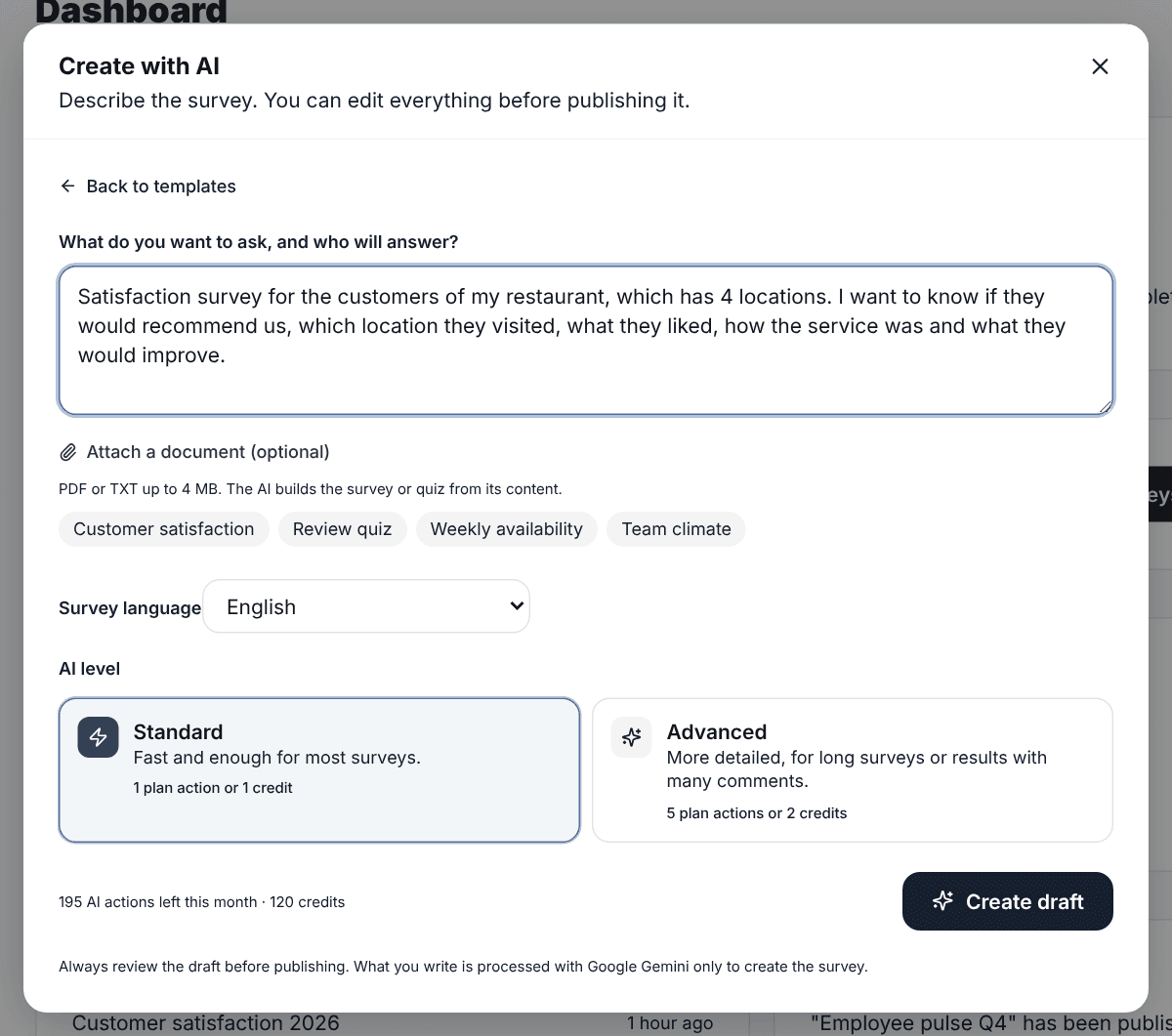
5. Build it with AI from your material
Describe the exam you need or upload your lesson as a PDF or Word file, and the AI suggests questions with the correct answer marked. You review and change anything before publishing.
- The Free plan includes monthly AI uses so you can try it.
- Always check the answer key: AI makes mistakes too.
Who it’s for
Language schools and academies
Placement tests, end-of-module exams and review quizzes, with each student’s score ready to export.
Teachers
Graded practice from a phone, without students creating an account.
Corporate training
Assessments after onboarding or an internal course, with a pass mark.
Hiring
Knowledge tests for candidates, mixing graded and open questions.
What each plan includes
Exam mode, points and pass mark
Every plan, including Free
Each person’s score in responses and downloads
Every plan, including Free
Test analysis (KR-20 and per question)
From Basic
Conditional logic (for example, skipping questions)
From Basic
Each submitted exam counts as one response toward your plan’s monthly limit.
Guides and tools
Frequently asked questions
- Do students need to create an account?
- No. They answer from the link on a phone or computer, without signing up.
- Can I set a time limit?
- There’s no timer for now. You can close the exam at a date and time or when it reaches a number of responses.
- Can open questions be graded?
- Not automatically. Automatic grading works with single choice, multiple choice and dropdown questions. You read open answers in Individual responses.
- What is KR-20?
- It’s the reliability measure for tests with right and wrong answers. It goes from 0 to 1; 0.7 and above is usually considered acceptable. You can also calculate it for free with our KR-20 calculator if you have the data in Excel.
- Do they see the correct answers at the end?
- No. If you turn on showing the result, they see whether they passed and their score, but not the answer key.
Build your first exam today
Exam mode is on the Free plan. Create your account, mark the correct answers and share the link.
Create a free account