Job application form: how to screen candidates before the interview
Posting a sales or customer service job and getting 150 resumes by email makes for a bad week. Most do not meet the basics, many did not read the post, and reviewing them one by one takes hours.
An application form puts order to all of it: every candidate answers the same questions, answers land in one table, and the first screening takes minutes.
A customer service or sales role can get over a hundred applications. The form does the first screening for you.
Questions that screen
- Full name and email.
- How much sales experience do you have? (none, under 1 year, 1 to 3 years, over 3).
- What availability do you have? (full time, part time, weekends only).
- Where do you live? Useful when shifts start early.
- Your resume as a PDF (file upload question).
- Why are you interested in this role? Two or three lines.
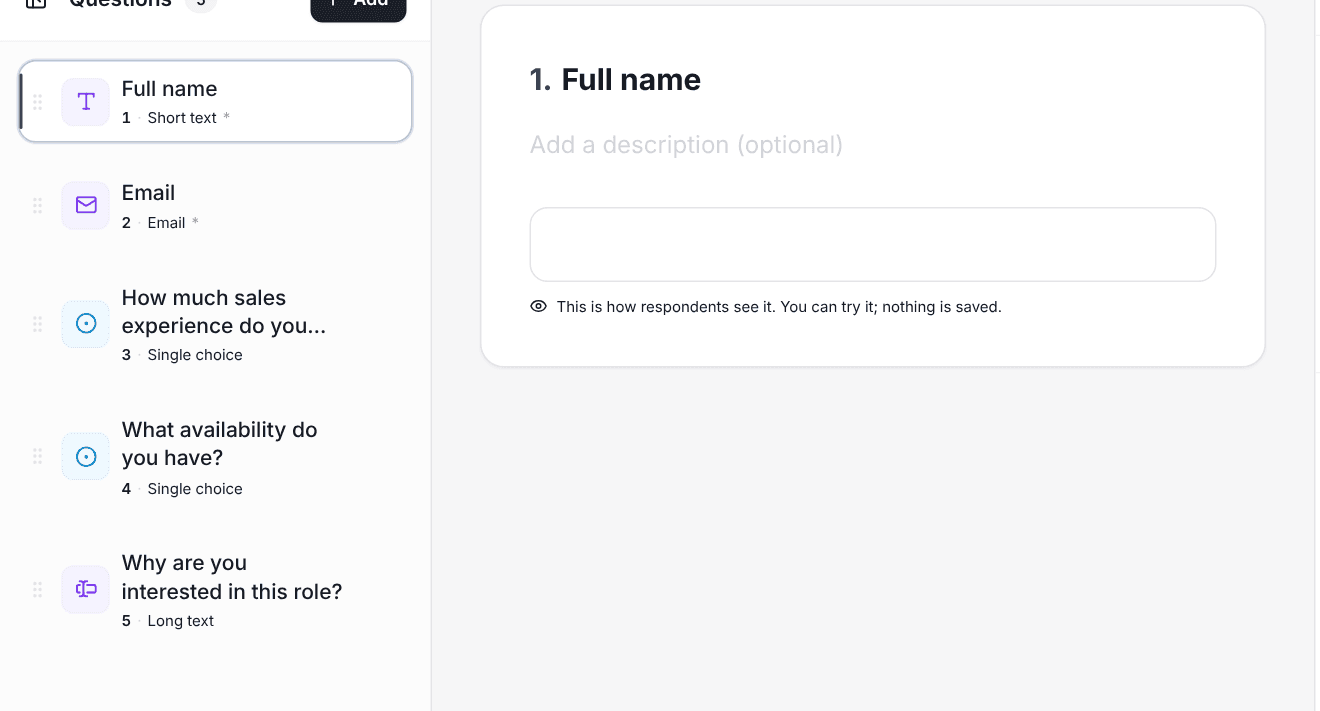
With conditional logic you can end the form early, with a kind message, for anyone who does not meet a non-negotiable requirement (availability, for example). They do not waste their time and neither do you.
A short test inside the form
Four or five questions with a correct answer about real situations in the job ("a customer asks for a discount you cannot give, what do you do?") say more than a resume. With exam mode, every application arrives with its score already calculated.
Reviewing applications
In the results you can filter by the answers that matter (experience, availability) and see only the people who qualify. It also helps you understand who the job post is attracting.
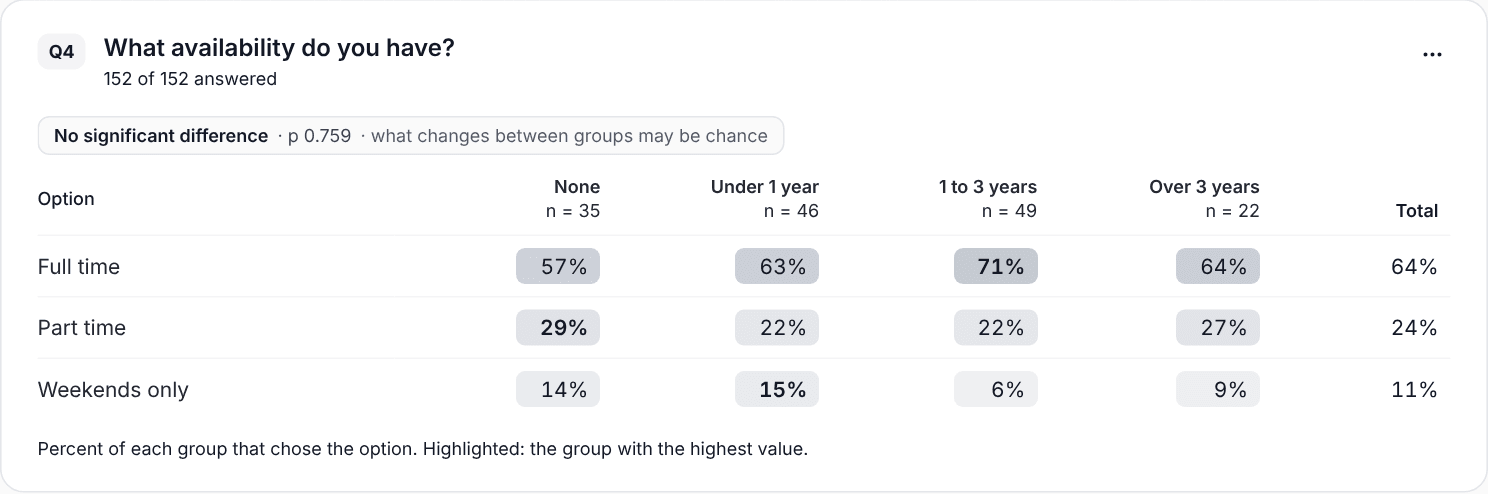
If almost nobody fits the profile, the problem is usually the job post or where it was published, not the candidates.
Look after applicants' data
An application form collects personal data. Ask only for what you need to decide, do not share the results link, and delete applications when the process ends. Say so at the start of the form: it builds trust and it is the right thing to do.