Engagement survey factors: how to group questions into dimensions and compare them by division
 By Enzo CaminoPsychologist and founder of SurvIQ
Engagement surveys usually have between 30 and 60 statements. Nobody on a leadership team reads 60 charts. What gets presented are factors, also called dimensions: Leadership, Communication, Recognition, Working conditions, Integrity, Engagement. Each factor groups the questions that measure the same thing and sums up in one number how the company is doing on that topic.
The next step is comparing them by division, department or site. That is where the question that really matters shows up: not "how are we doing on Leadership?" but "in which divisions is leadership lowest?".
What a factor is and how it is calculated
A factor is the average of several questions for each person. If Integrity is questions 1, 4, 6, 8 and 13, a person's Integrity score is the average of their answers to those five. A division's result is the average of those scores among the people in that division.
Averaging per person first and per group second has an advantage: if someone skipped a question, their factor is calculated from the rest. In SurvIQ a person counts toward a factor if they answered at least half of its questions.
How to build good factors
- Between 3 and 6 questions per factor. One question is not a factor, and with 15 topics get mixed.
- All on the same scale. If you mix a 1 to 5 question with a 0 to 10 one, the second weighs more in the average.
- All in the same direction. If a statement is negative ("I feel nobody listens to me"), flip it first: in SurvIQ, use Value per option and set 5 = 1, 4 = 2… 1 = 5.
- They should measure the same thing. If you have pilot data, Cronbach's alpha tells you whether a factor's questions belong together.
- A name anyone understands. "Direct manager leadership" says more than "Dimension 3".
To check that a factor's questions belong together:
Free Cronbach's alpha calculatorCommon factors in an engagement survey
- Leadership: the direct manager gives feedback, recognizes work, is fair.
- Communication: information arrives on time, people understand where the company is going.
- Recognition: effort is noticed and valued.
- Working conditions: tools, workload, physical space.
- Growth: opportunities to grow and learn.
- Integrity: rules are followed, people act honestly, issues can be reported without fear.
- Engagement: pride, intention to stay, recommending the company.
What about matrix questions?
Many engagement surveys put several statements in a single matrix, with columns from "Strongly disagree" to "Strongly agree". In SurvIQ each matrix row counts as a separate question: you can put rows 1, 3 and 5 in Leadership and rows 2 and 4 in Communication. A row is worth the chosen column counting from 1, so the columns should go from worst to best.
How to do it in SurvIQ
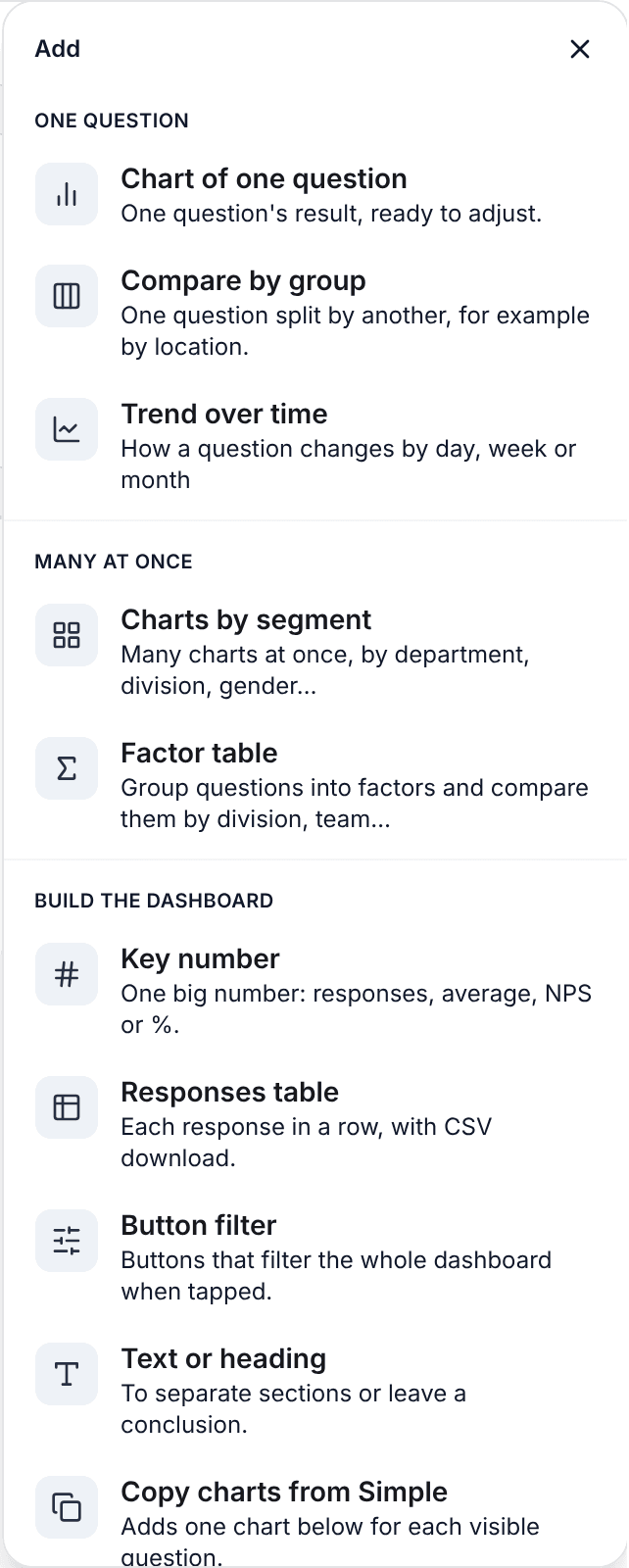
In the advanced results, Add has a Factor table option, in the "Many at once" group.
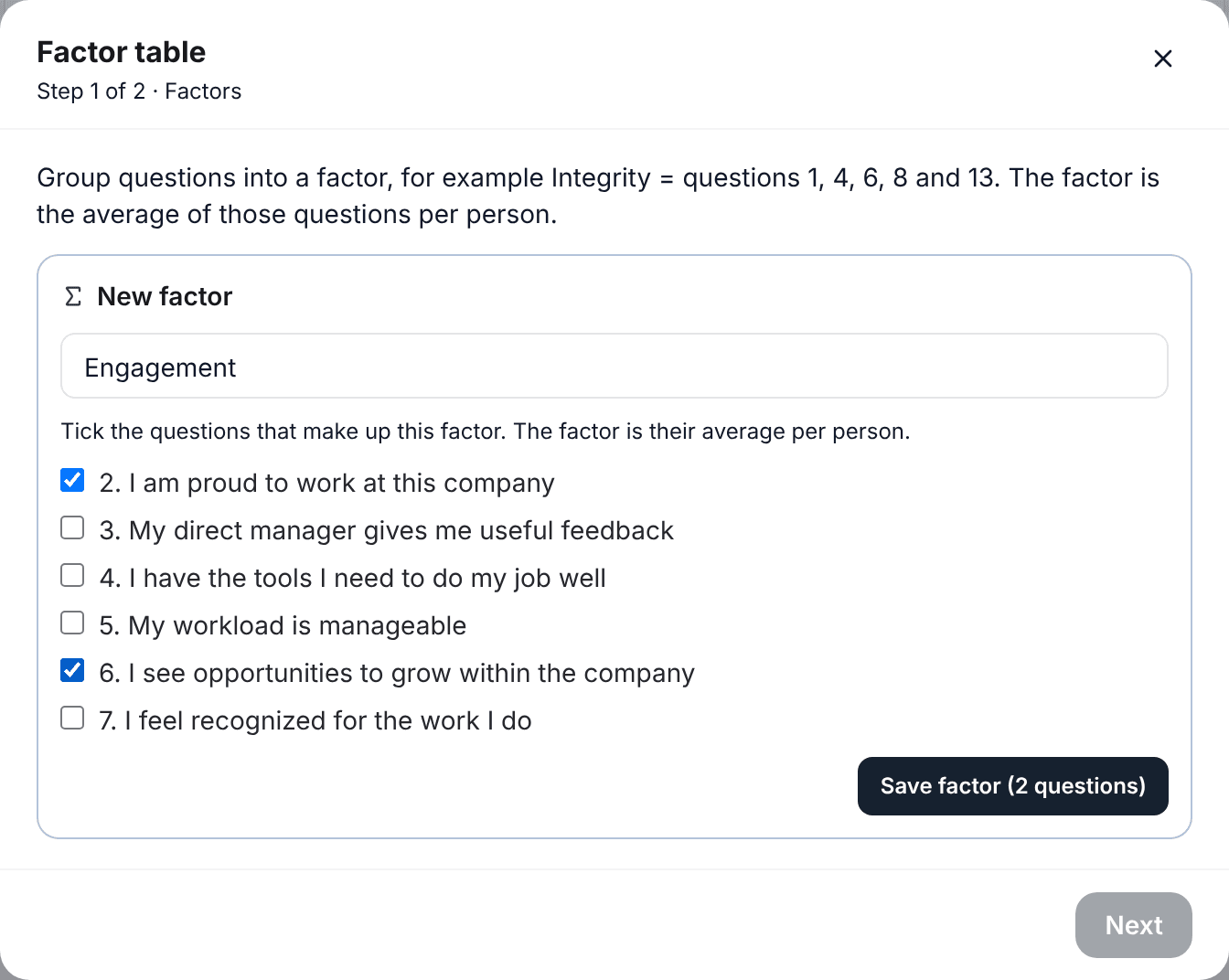
The first step is creating the factors: a name and the questions that make it up. They are saved in the survey, so you create them once.
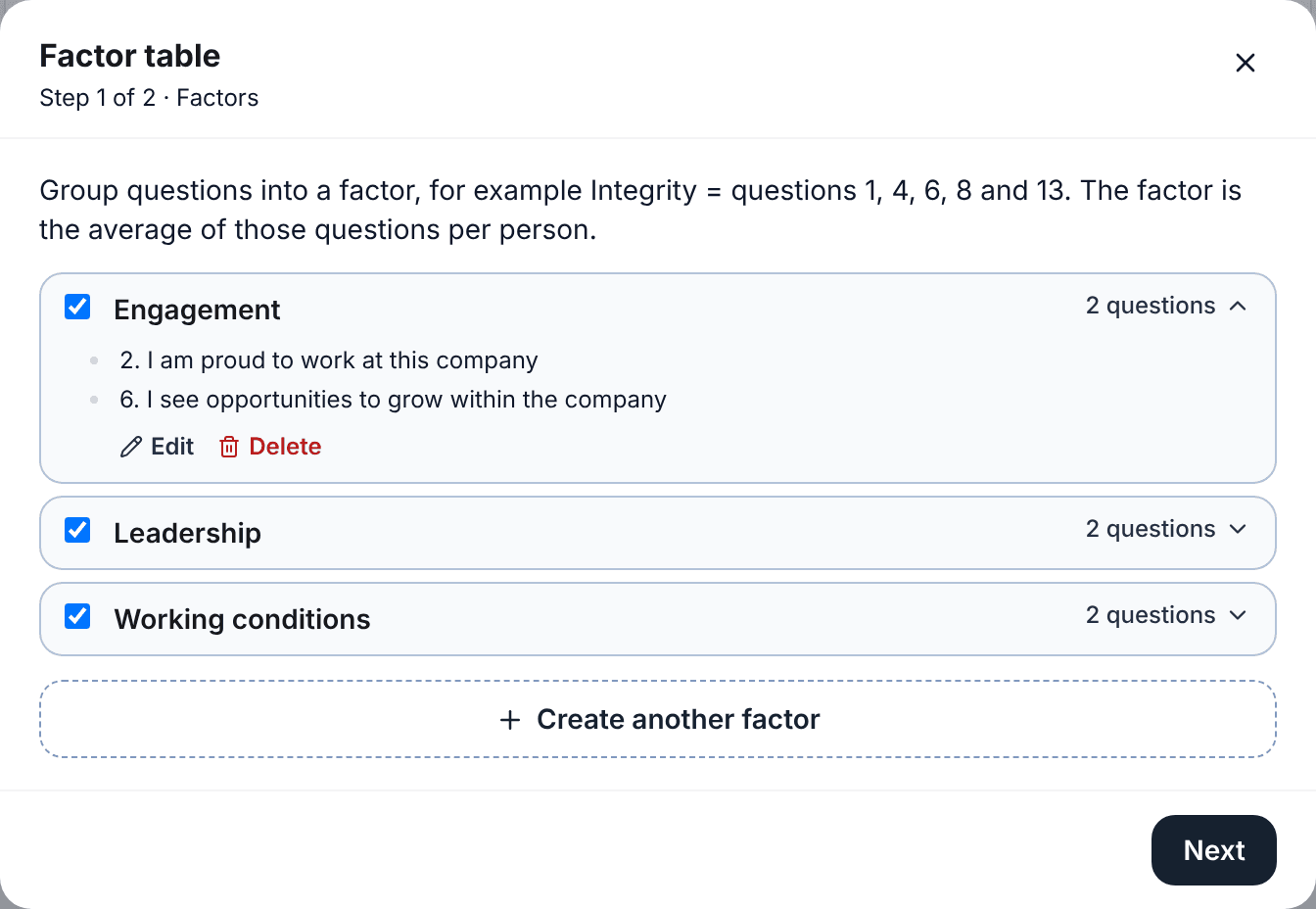
Each factor shows how many questions it has. Tap that number to see the list and check it, and from there you can edit or delete the factor.
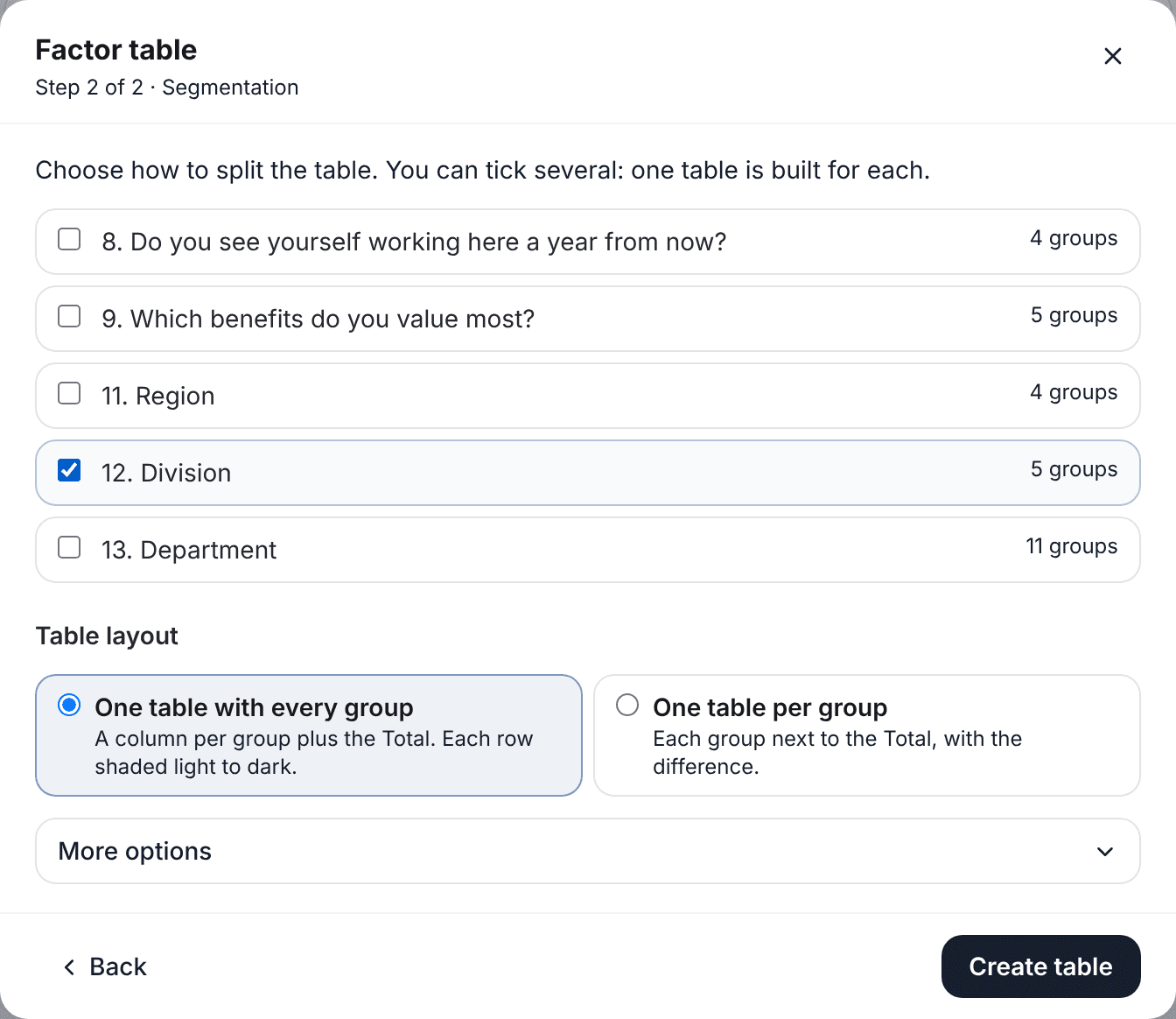
In the second step you choose what to split by (division, department, region, or several at once) and the table layout: one with every group or one per group.
The result is a table with one row per factor and one column per division, with the Total next to them and shading by row so you can see at a glance who is up and who is down.
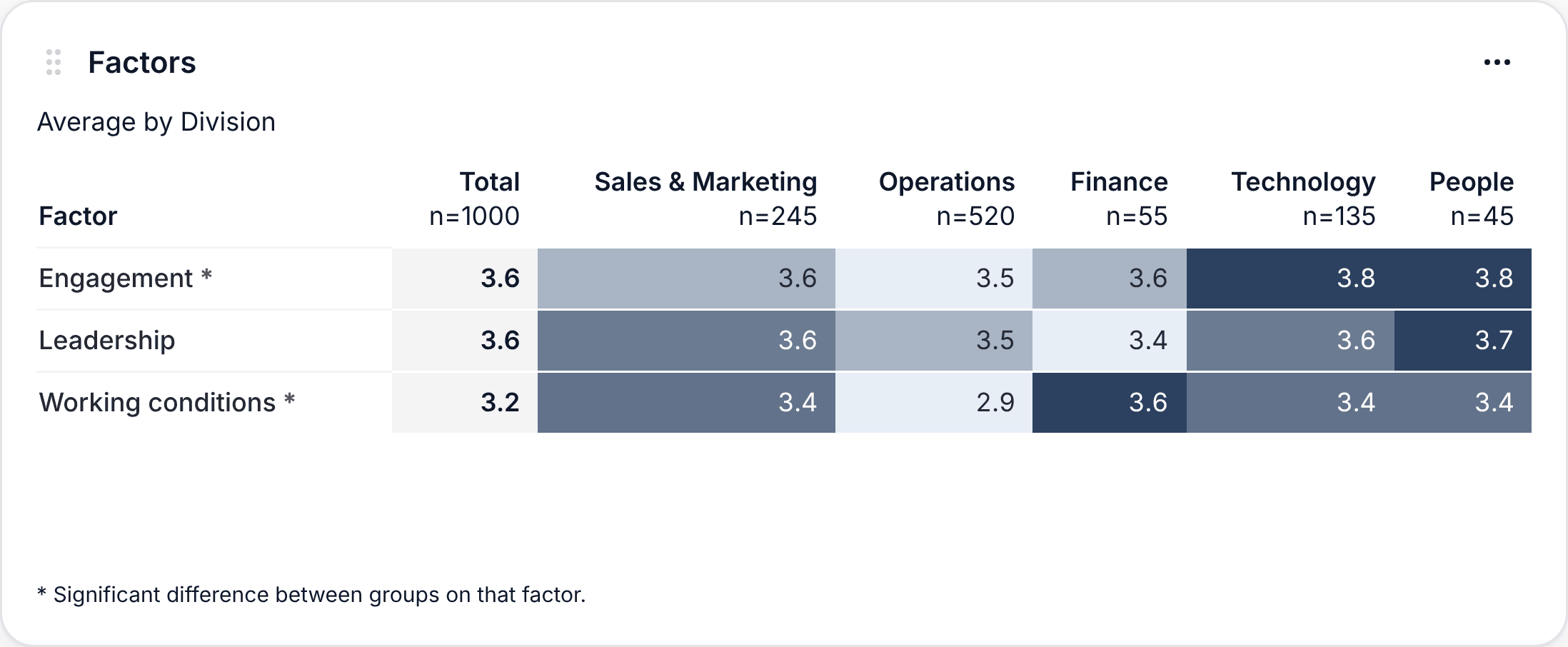
From Export the table goes to PowerPoint, and with "One file per group" each division gets its own PowerPoint with its factor table against the Total.
Every step, with what each part of the table means:
See the step-by-step tutorialBefore you present
- Check that each factor has the questions it should. One wrong question changes the number.
- Look at each division's number of responses. An average of 6 people moves a lot with just one.
- Keep groups with fewer than 5 responses hidden. In engagement surveys, anonymity is what makes people answer honestly.
You can build your own factors on a sample engagement survey, no account needed:
Try the results demo