Create a performance review cycle
Updated November 11, 2026
A cycle is one full review: for example, "Performance review 2026". It has its own stages, people, competencies and scoring. This guide explains how to create it, how to pick and order stages and what to check before launching.
Before you start
You need your company’s people loaded in Evaluations > People, with their manager. You load them once and use them in every cycle. If you have not done it yet, read the people and portal guide first.
Create the cycle and pick a template
- Go to Evaluations > Performance.
- Type the cycle name, for example "Performance review 2026", and tap Create cycle.
- In Setup, pick the template closest to how your company reviews.
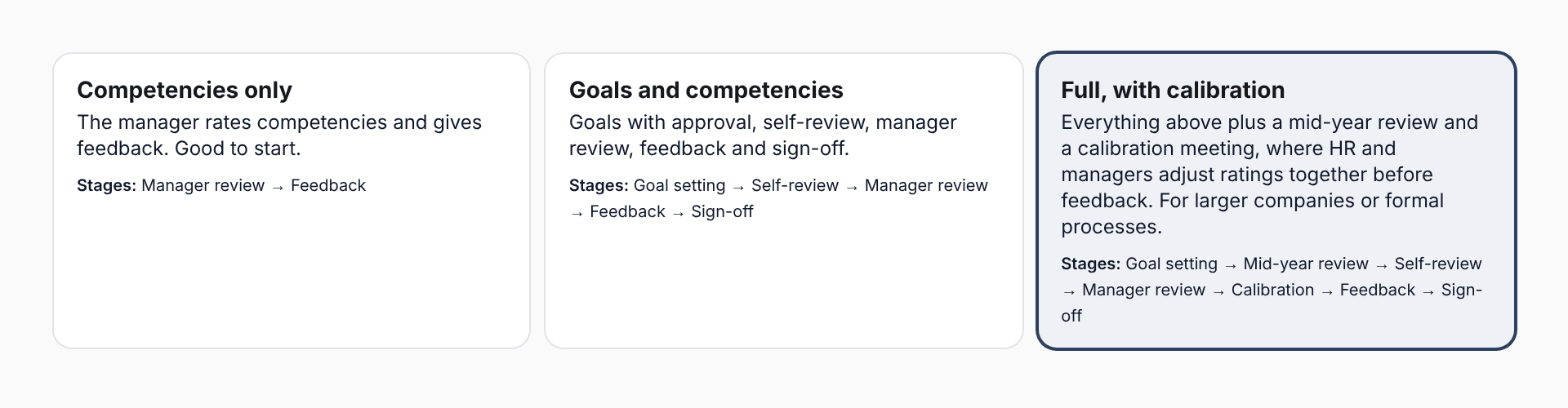
- Competencies only: the manager rates competencies and gives feedback. Great for a first time.
- Goals and competencies: goals with approval, self-review, manager review, feedback and sign-off.
- Full, with calibration: all of the above plus a mid-year check-in and a calibration table before feedback.
Stages and order
Each stage is a moment of the cycle. Turn it on or off with "Use this stage" and reorder with the arrows. Manager review and Feedback are always included.
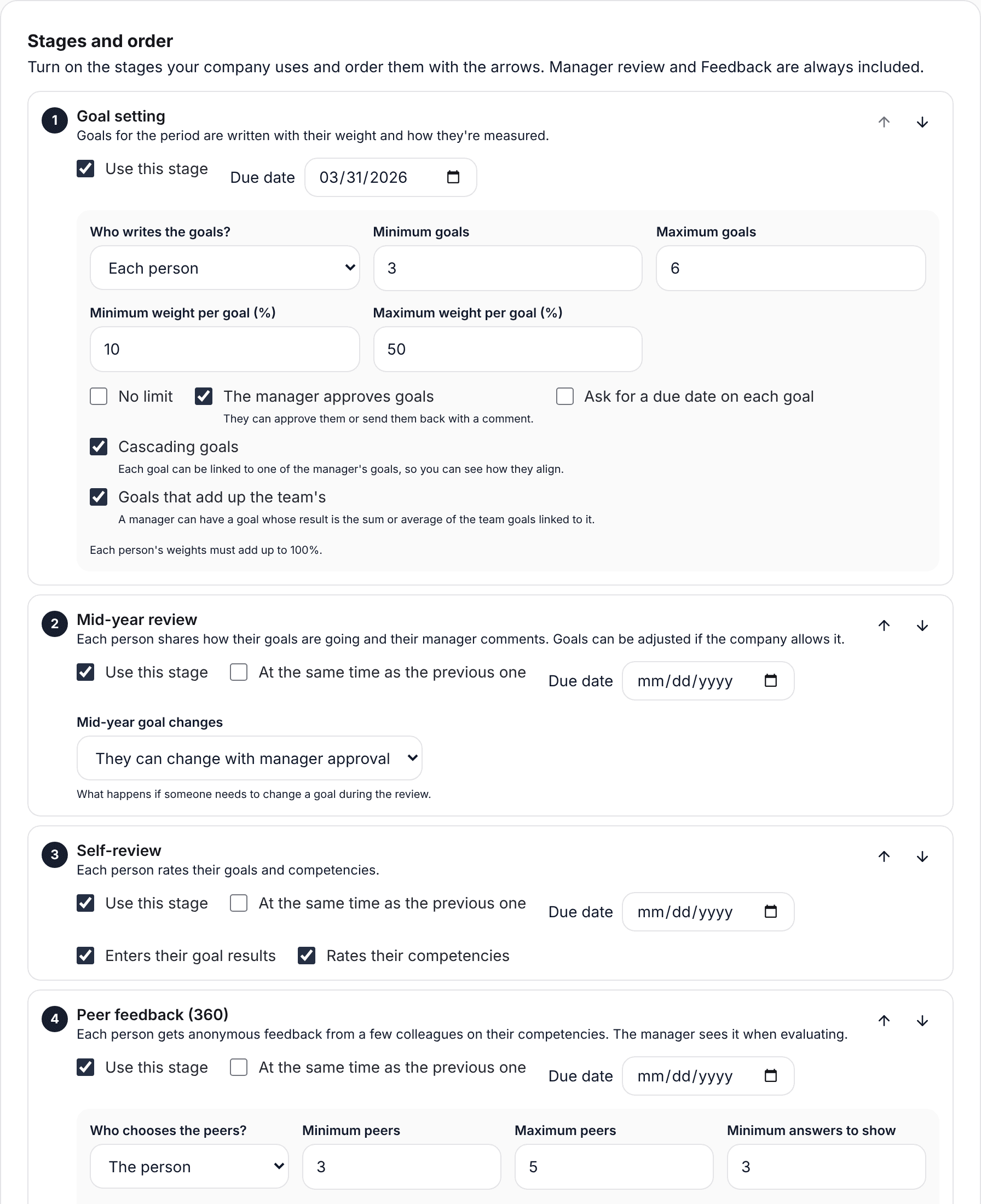
- Goal setting: goals are written with their weight and how they are measured.
- Mid-year check-in: each person shares how it is going and their manager comments.
- Self-review: the person enters their goal results and rates their competencies.
- Peer feedback (360): a few peers rate their competencies, anonymously.
- Manager review: the manager enters results and rates. This is where the score comes from.
- Calibration: HR and managers review scores together and adjust where needed.
- Feedback: the manager talks through the result and the person sees it in their portal.
- Sign-off: the person says whether they agree, and signs if you ask for it.
With "At the same time as the previous one" two stages open together, for example self-review and peer feedback. SurvIQ blocks orders that cannot work, such as calibrating before the manager reviews.
Deadlines
Each stage has a deadline. People see it in their portal and automatic reminders use it. Stages do not open or close by themselves on that date: you open and close them in the Progress tab.
Check and launch
Once you have stages, competencies and people, go to the Progress tab. At the top you will see what is ready and what is missing, the order the cycle will follow and how many people your plan covers.
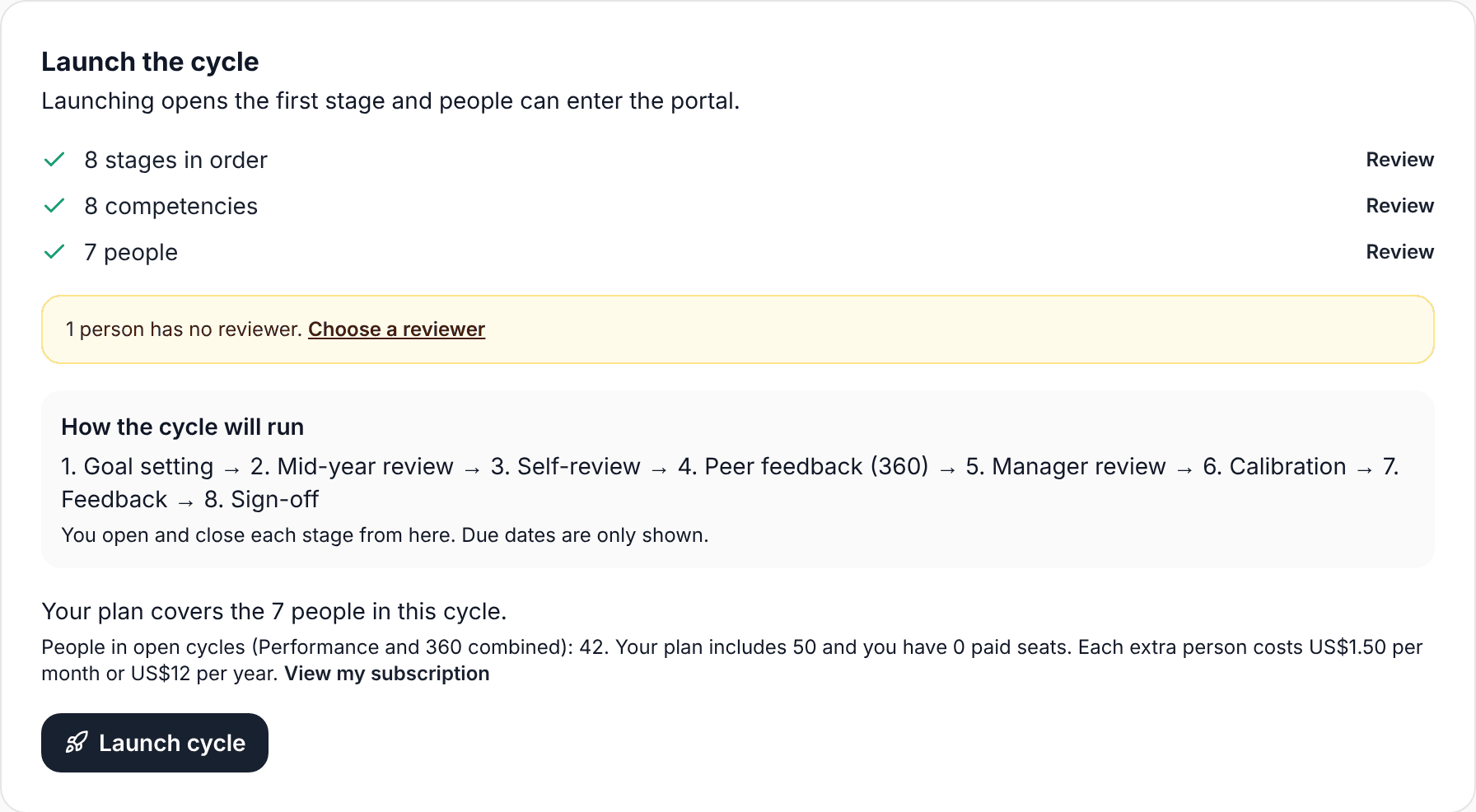
- If someone has nobody to review them (for example the CEO), tap "Choose a reviewer".
- Check the people line: your plan includes 50 people across Performance and 360. Above that, SurvIQ asks you to add seats before launching.
- Tap Launch cycle. The first stage opens and people can sign in to the portal.
After launching you can add stages or move the ones that have not started, but not turn off or move stages already opened. Competencies can no longer be changed.