The portal: what each person and each manager does
Updated November 11, 2026
The portal is where people do their part, without creating an account. Each person sees what they need to do now and, if they manage people, a tab with their team. This guide is meant to share with your people: it explains each stage from the employee’s and the manager’s side.
Signing in and what to do now
Each person signs in with the portal link, their ID and password, or with their personal link. At the top they see the cycle’s stages: which is open, until when and what is next. Below, a "Your to-do now" box with their pending items.
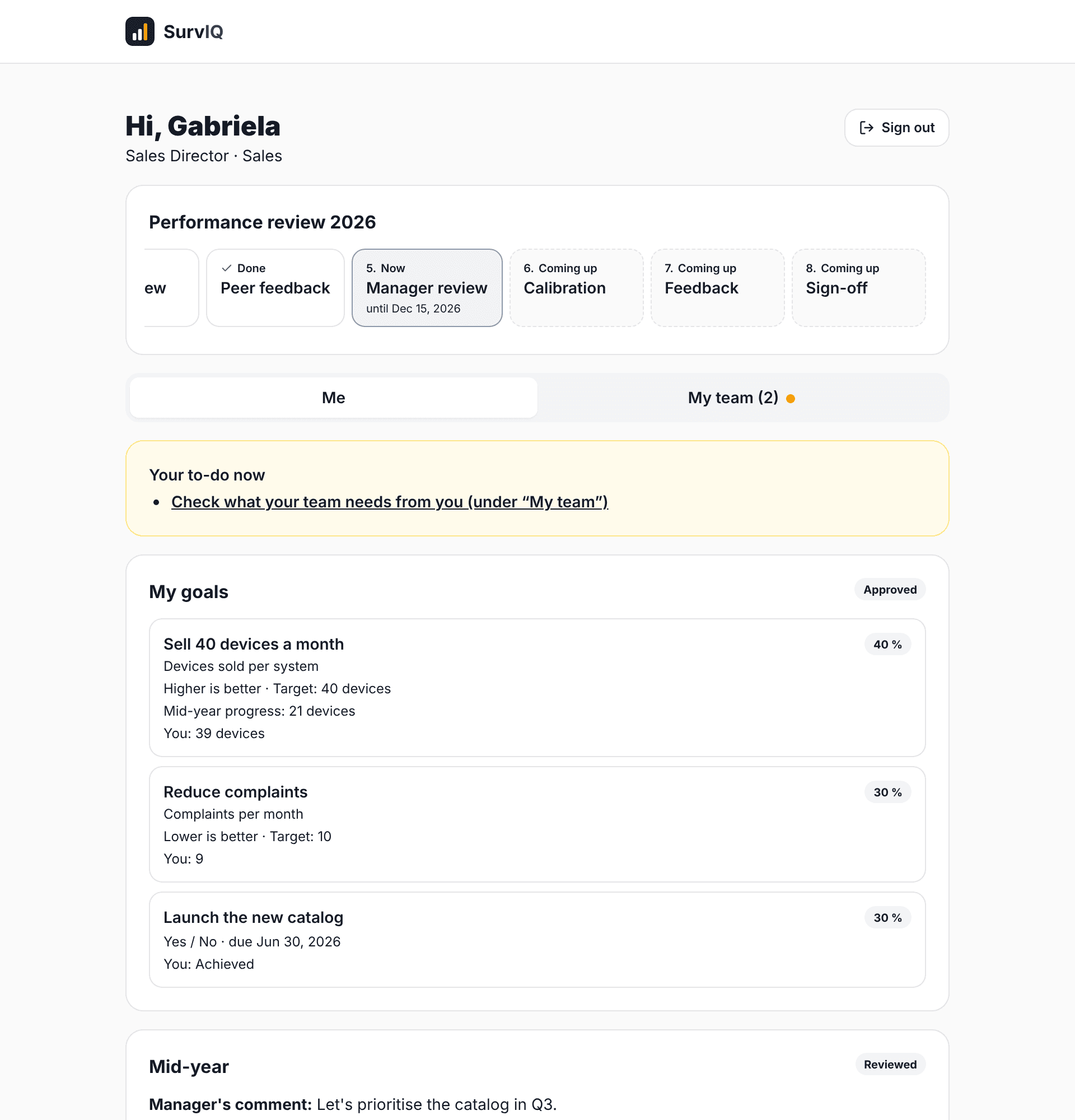
What the employee does
- My goals: writes their goals and sends them to their manager. If they come back, they see the comment and fix them.
- Mid-year: shares how each goal is going and what they need. It is not the score.
- Peer feedback: picks who to ask (if it is their call) and answers the feedback requests they got. Everything is anonymous.
- Self-review: enters their goal results, rates themselves on competencies and leaves a comment.
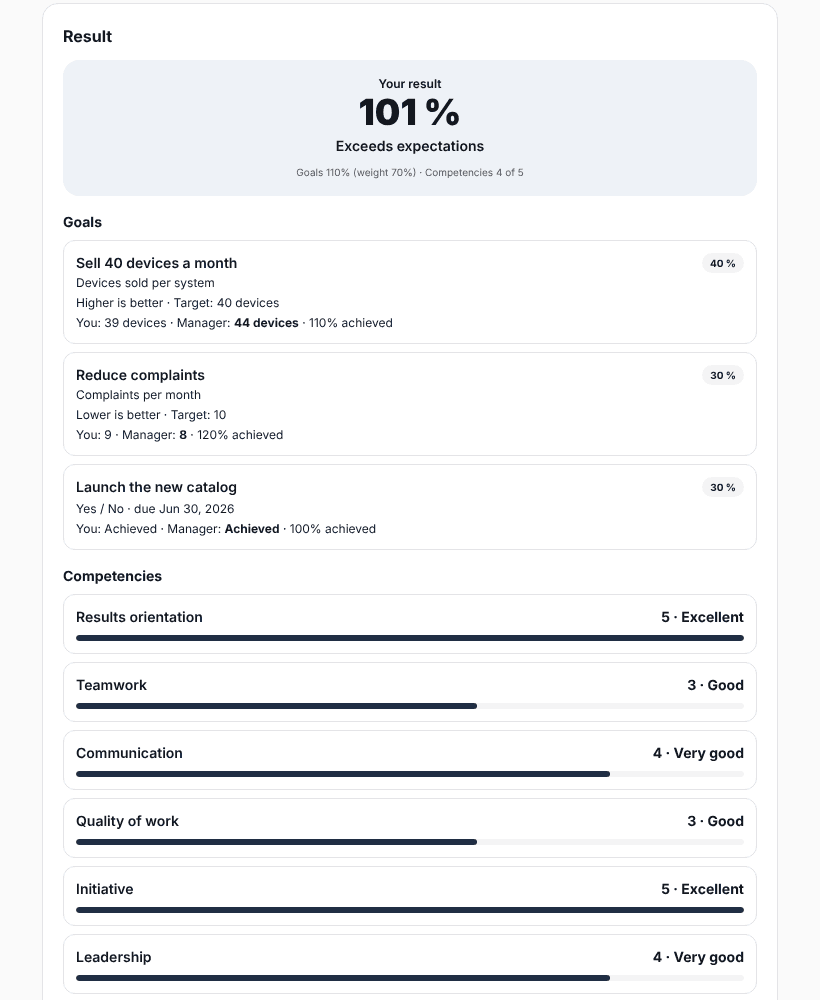
- Result: once the manager gives feedback, they see their score, the detail, the manager’s comment and their development plan. They can print it or save it as PDF.
- Sign-off: says whether they agree, agree with a comment or disagree, and signs if the company asks for it.
What the manager does in My team
My team shows their direct reports with what is pending for each one. With "My whole area" they also see the teams of the managers who report to them, view only.
- Approve goals: approves them or sends them back with a comment.
- Review mid-year: reads how the person is doing and comments.
- Choose peers: if the company decided the manager picks them.
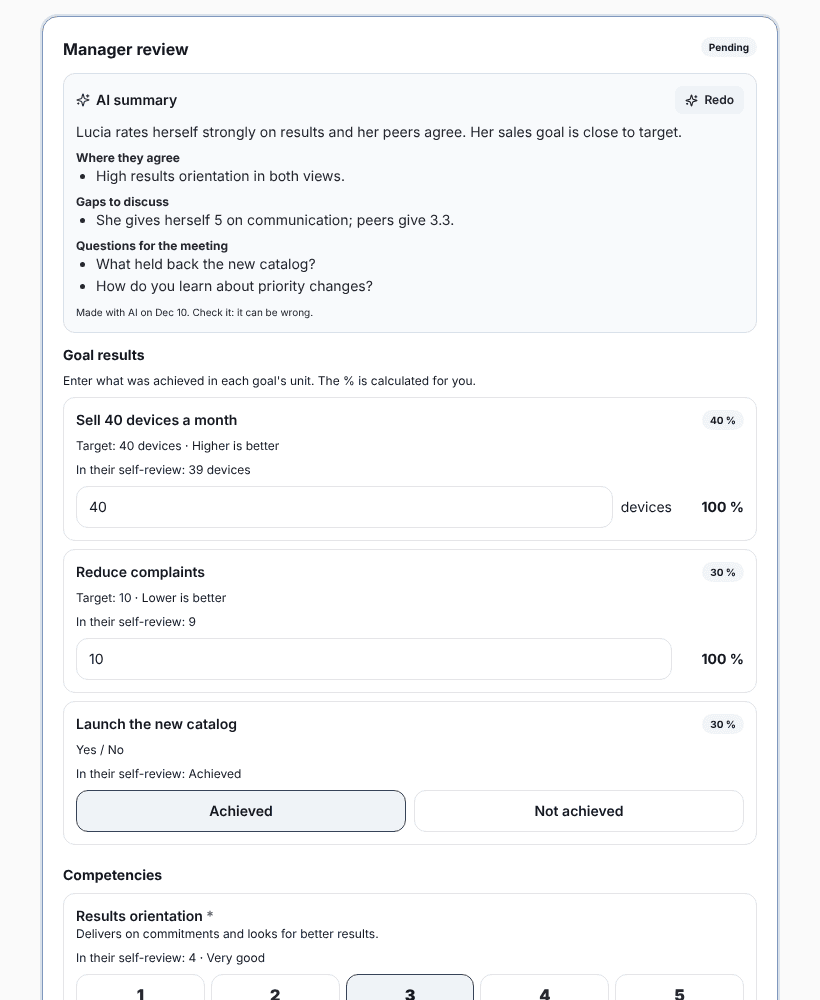
- Review: enters each goal’s result, with what the person said alongside, rates competencies and leaves a comment. If the company asks, marks potential (low, medium or high).
- Feedback: talks through the result, leaves 2 or 3 development plan actions and marks "We talked".
The manager’s manager approval
If the company turns it on, when a manager sends a review it goes to their own manager, who approves it or sends it back with a comment. It can only be delivered once approved.
AI help
If the company leaves it on, there are three buttons: "Improve with AI" on each goal, "Make summary" before reviewing and "Suggest with AI" in the development plan. AI never gives scores: the manager decides.