Goal tracking board
Updated November 11, 2026
Goals are written at the start of the year and reviewed at the end. The board is for what happens in between: each goal is a card that the person moves from "Not started" to "Done", breaks into steps, updates with how far along it is and discusses with their manager right there. During the review, board progress shows next to each goal.
Where it is
- HR: in the cycle, Tracking tab. It shows the whole company board, with a filter by person.
- Each person: in the portal, under "Me", section Tracking my goals.
- Each manager: in the portal, under "My team", Team board button.
The board opens when you launch the cycle and stays read-only once you close it. It comes with Performance Reviews at no extra cost.
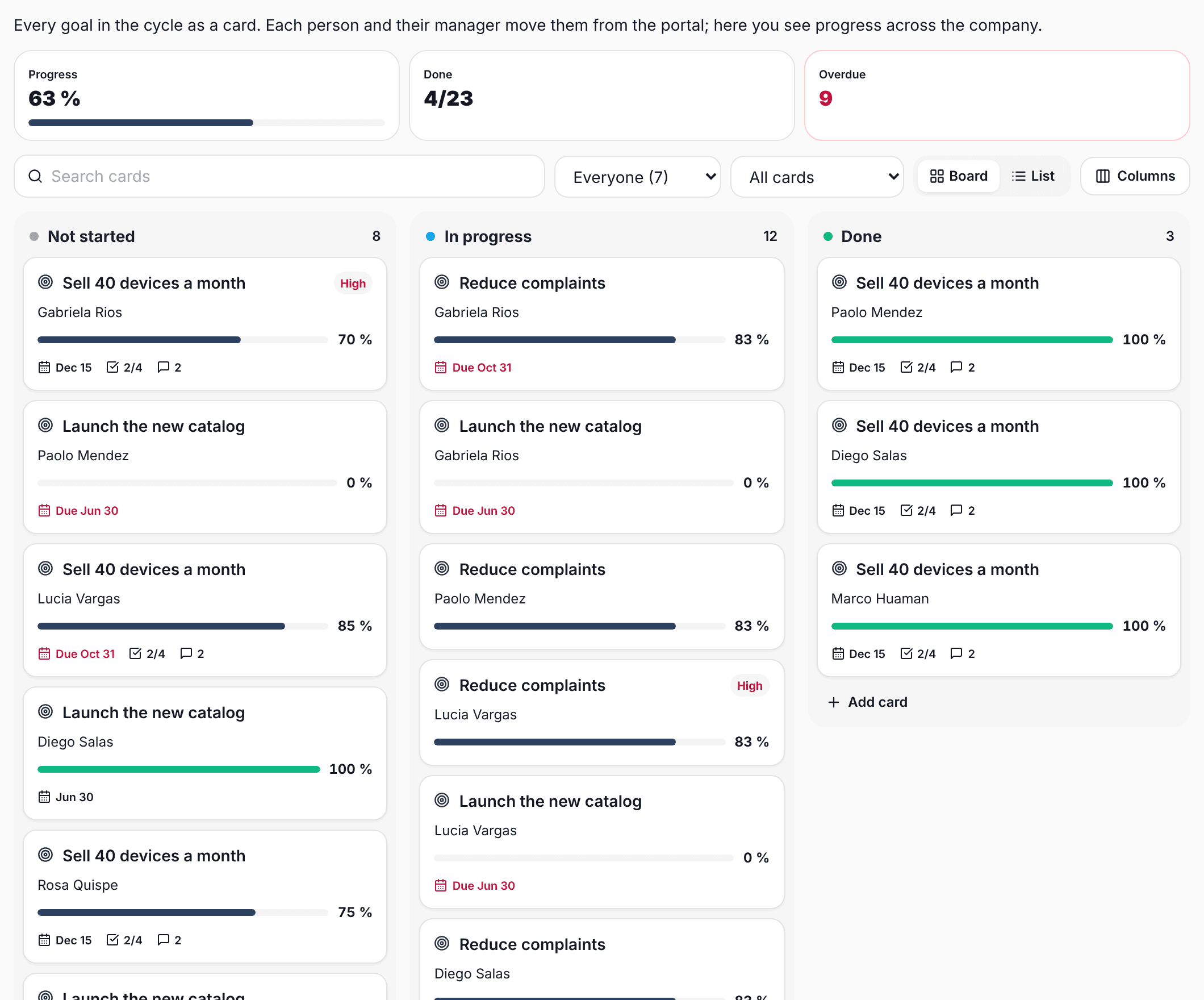
Cards
There are two kinds of card:
- Goals: they show up on their own as soon as the cycle goals are written. They have a target icon. Their name is changed in the goals, not on the board.
- Extra cards: projects, tasks or commitments that are not goals but are worth tracking. Add them with "Add card" at the bottom of each column.
To move them, drag them to another column on a computer. On a phone you see one column at a time: switch columns with the buttons at the top and move each card with "Move to".
Inside a card
Tapping a card opens everything it has:
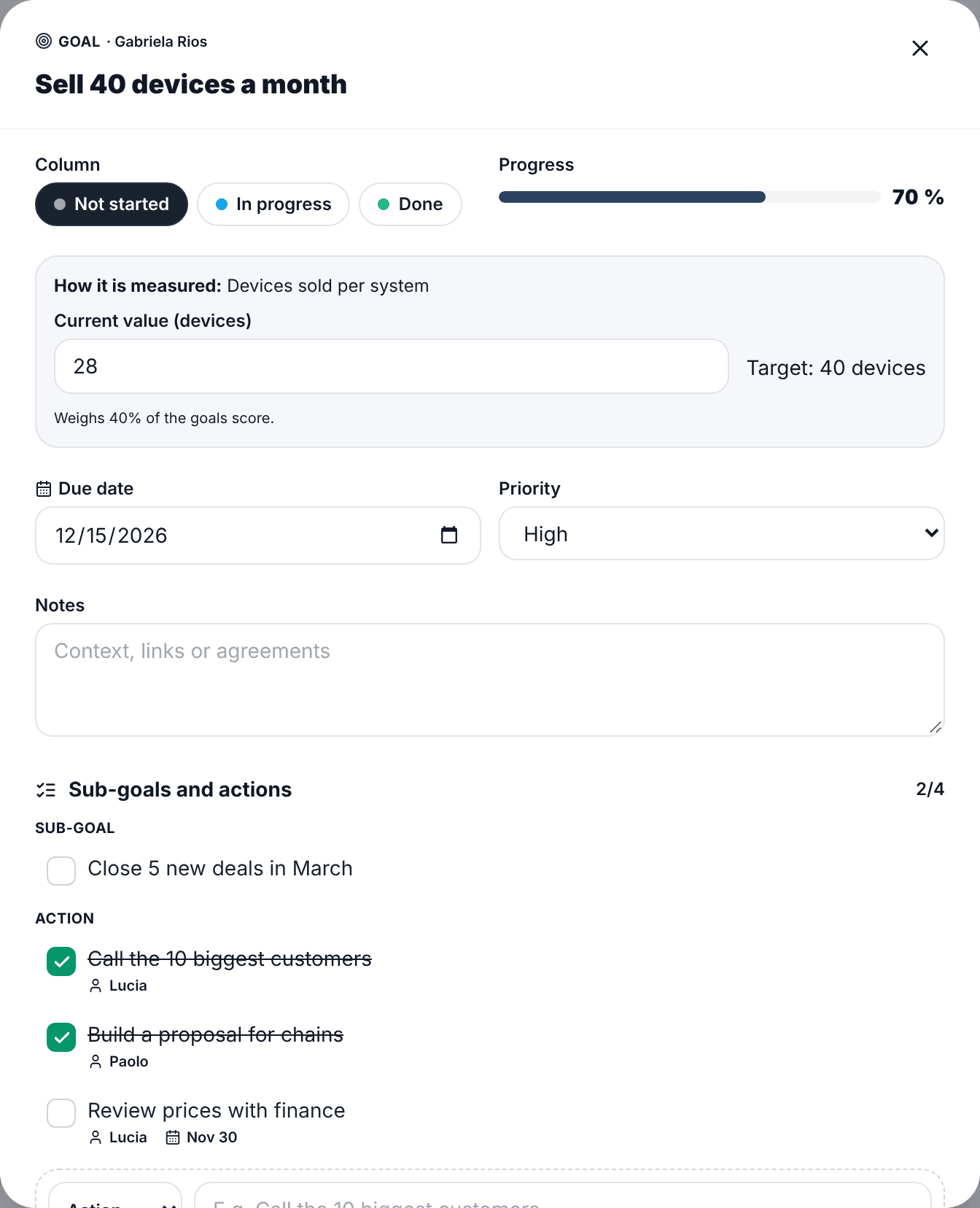
- Column: what state it is in.
- Current value: for goals with a number (for example, sales), enter how far you are and progress is calculated against the target, just like in the review.
- Sub-goals and actions: the steps to get there. Each one can have an owner and a date. If the card has no value, progress comes from the checked steps.
- Due date, priority and notes.
- Comments: the person, their manager and HR talk about that card.
- History: who moved, checked or changed what, and when.
How progress is calculated
- If the card is in a column that counts as done, it is 100%.
- If it is a goal with a number and a current value, it is how far along it is against the target (up to 100%). It also works for "lower is better" goals.
- If it is a yes/no goal, it is 0% or 100%.
- If it has sub-goals or actions, it is the share that is checked.
- If it has none of the above, it is the progress set by hand.
Above the board you see overall progress (weighted by each goal's weight), how many cards are done and how many are overdue. Tap "Overdue" to see only those.
For managers: the team board
Under "My team" > Team board you see the cards of all your people. Filter by person to go over their goals in a one-on-one, or switch to the list view to see everyone's progress.
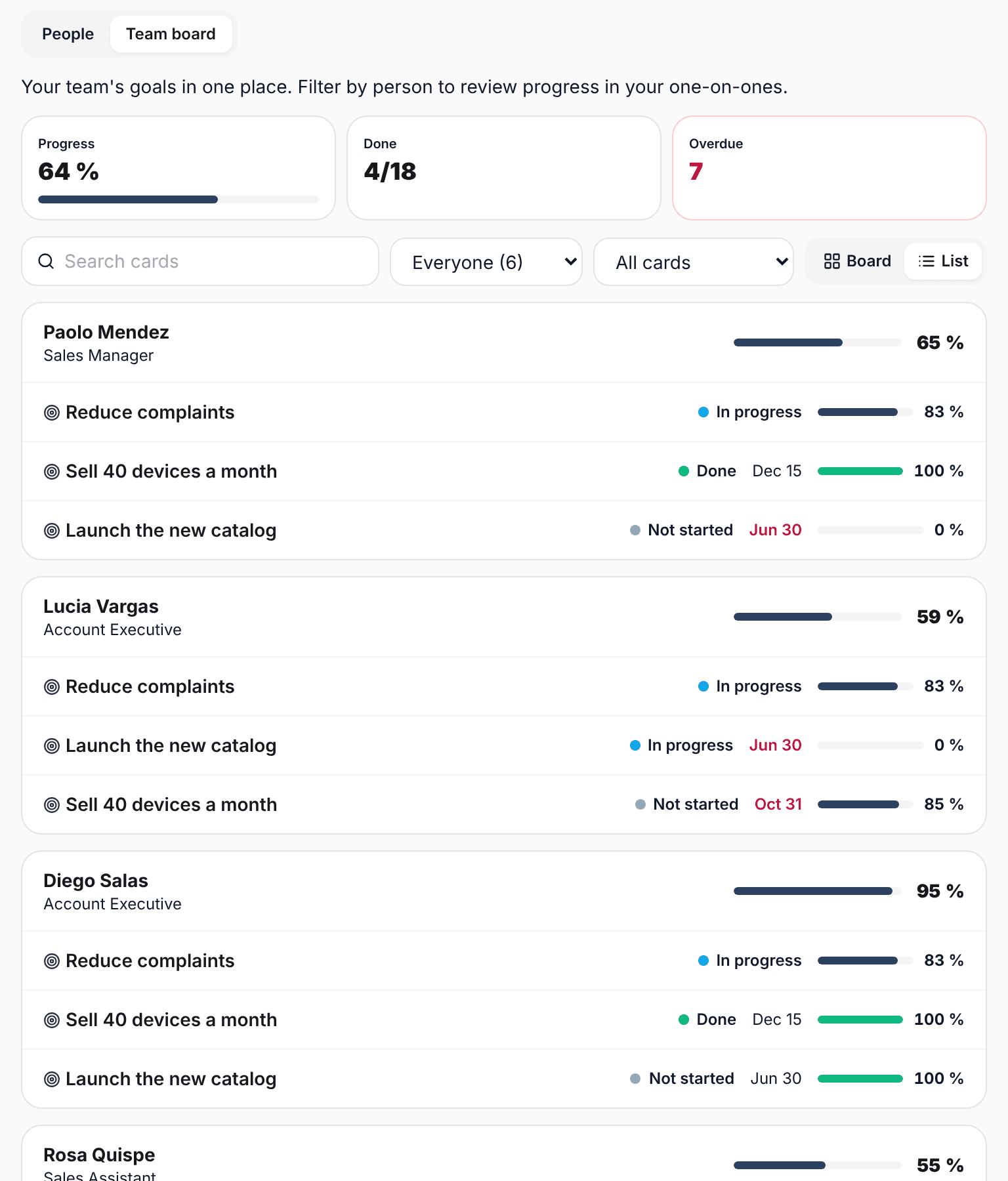
- You can move and edit your direct reports' cards with them.
- If you manage managers, you also see their people: you can view and comment, but not move.
For HR: columns and rules
Columns start as Not started, In progress and Done. In the Tracking tab, the Columns button lets you rename, recolor and reorder them, add up to 8 (for example "Blocked" or "In review") and choose which ones count as done.
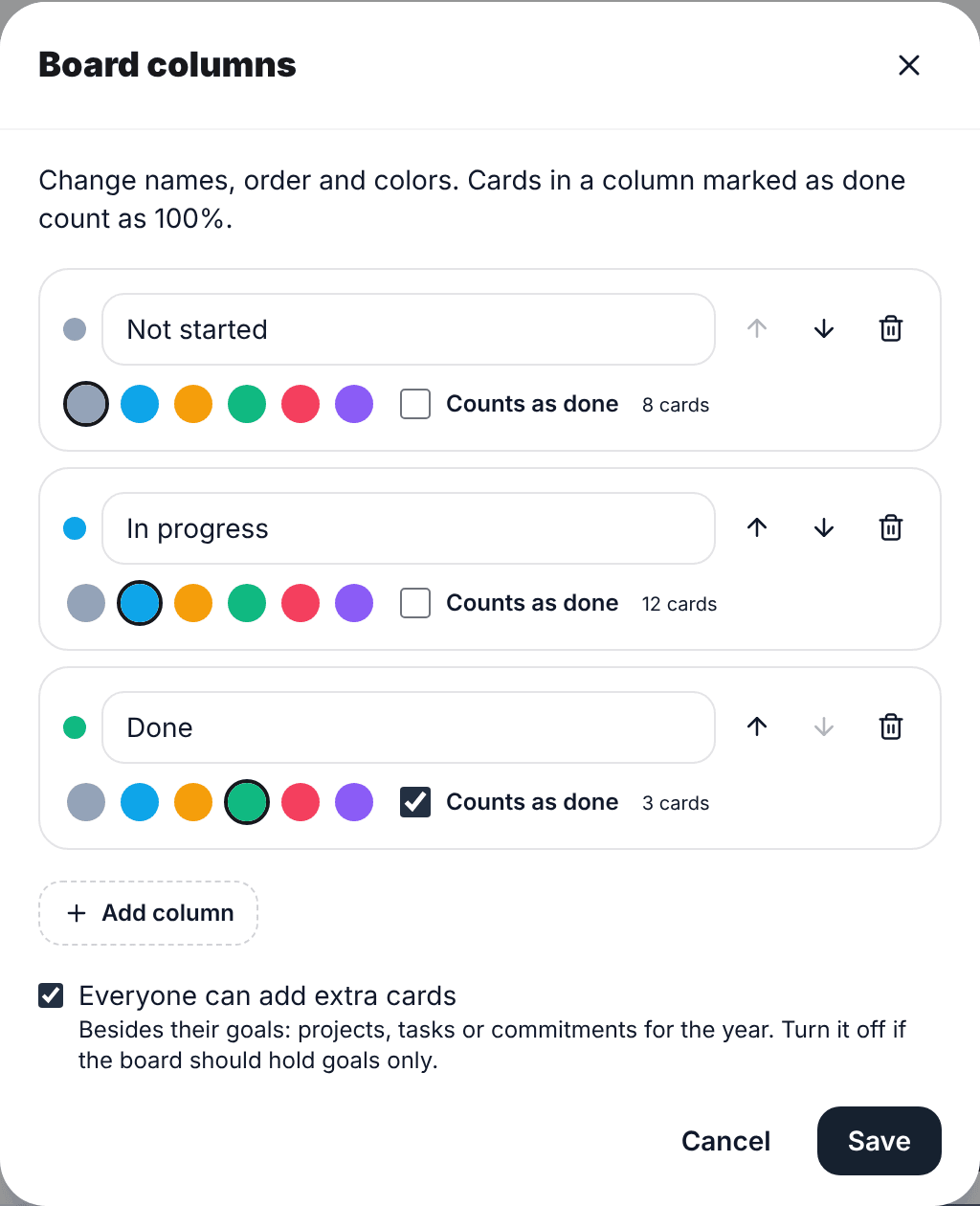
There you also decide whether each person can add extra cards or the board holds goals only.
During the review
In the mid-year review, the self-review and the manager review, each goal shows what it has on the board. If it has a value, the "Use this value" button copies it as the result. It is still a suggestion: the final result is set by the reviewer.