Stages, notices and reminders
Updated November 11, 2026
Once launched, the cycle moves forward when you open and close each stage. In the Progress tab you see how many finished each one, send notices to people who still have something pending and schedule automatic reminders before each deadline.
Open and close stages
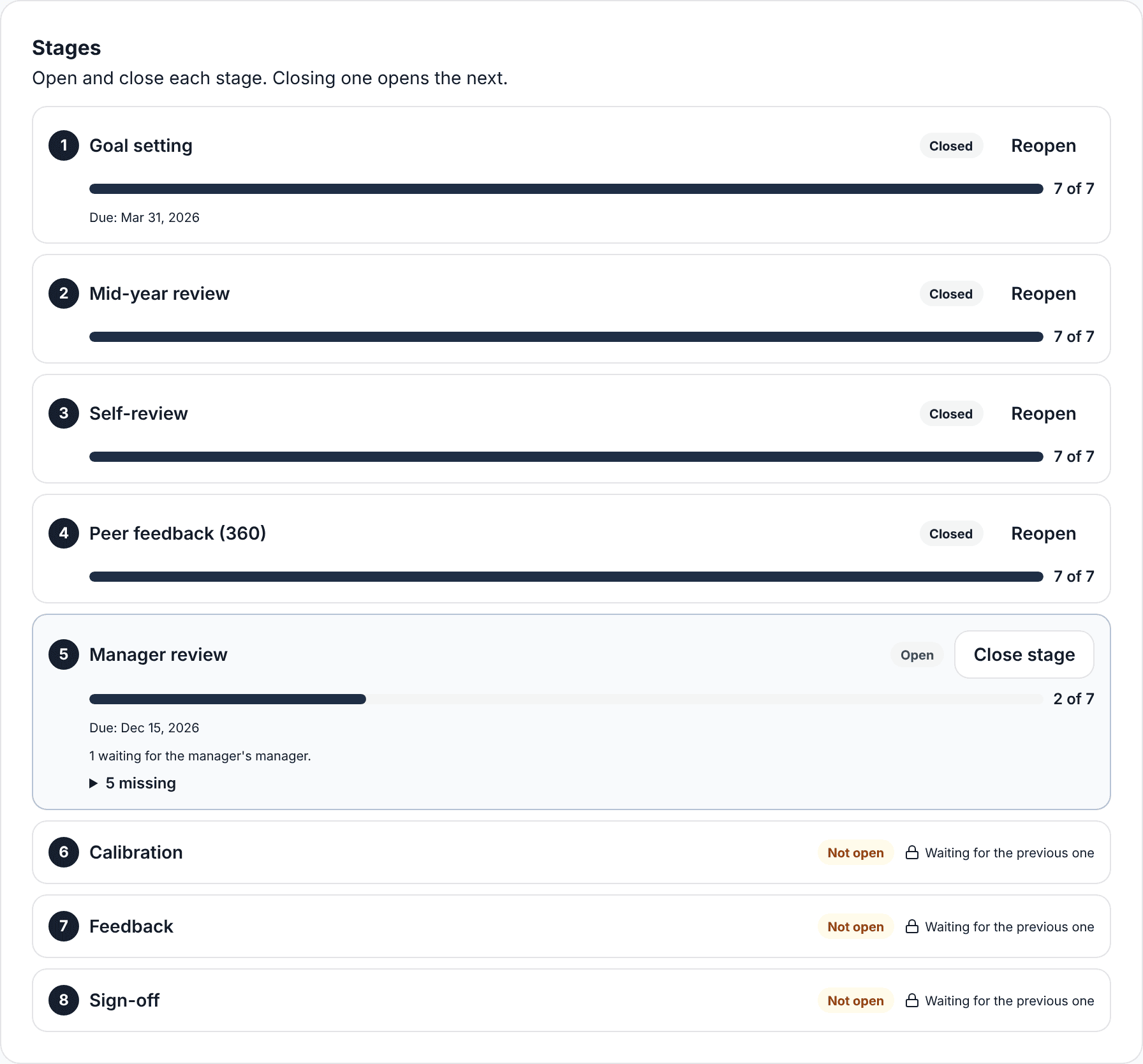
- Open: the stage starts and people see what they need to do in the portal.
- Close stage: SurvIQ tells you how many did not finish before closing. Closing one opens the next.
- Reopen: if you closed too early or someone needs to fix something.
- Deadlines are only shown: no stage closes by itself.
If you use the manager’s manager approval, the review stage shows how many reviews are waiting for that approval.
Email reminders you send
In the open stage, "Email reminders" sends a message to people with something pending: writing goals, self-review, reviewing their team, signing off. Each notice has the person’s personal link, so they sign in without a password.
- You can change the subject and text. The fields {nombre}, {ciclo}, {link}, {pendientes} and {plazo} are replaced with each person’s data.
- It goes out from SurvIQ’s email with your name, or from your own email if you set up SMTP.
- With SurvIQ’s email, each person gets at most one notice every 20 hours.
Automatic reminders
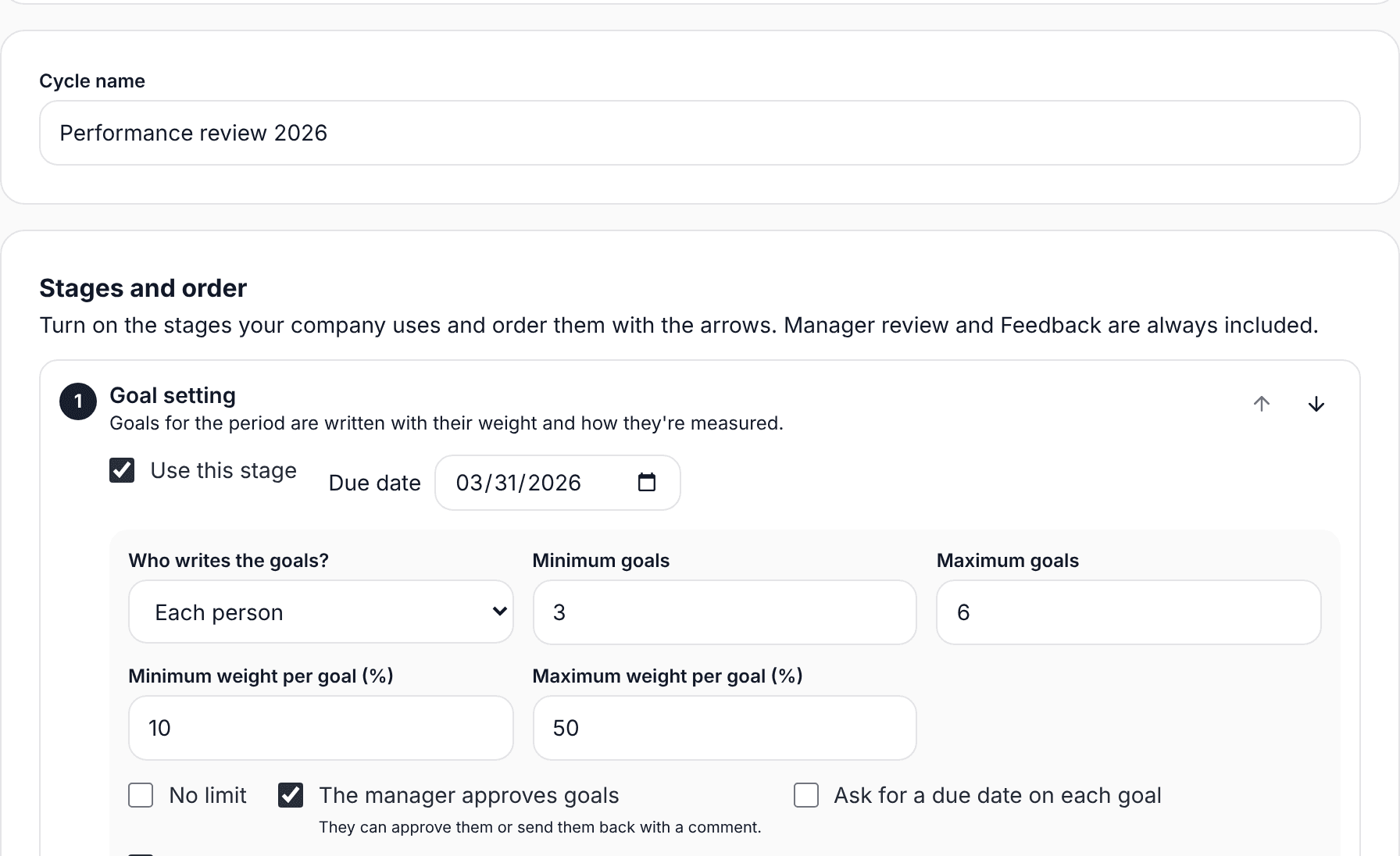
- In Setup, scroll to Automatic reminders and turn on "Send automatic reminders".
- Choose how many days before the deadline to remind (0 to 14) and whether to send another one on the day.
- Choose which email they come from and the sender name.
- Check every stage has a deadline: without one, no reminder goes out.
Reminders only reach people with something pending in an open stage. People who are done get nothing.
Close the cycle
When every stage is done, close the cycle at the bottom of the Progress tab. Results are saved and nobody can change anything. If something needs fixing, you can reopen it.